| Title | WhatsApp Messenger |
| Version | 2.22.23.84 |
| Price | Free |
| Category | Common |
| Package | com.whatsapp |
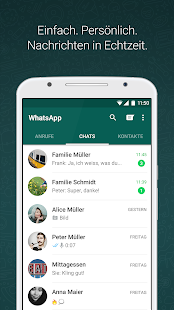
WhatsApp Messenger is the world’s most popular cross-platform messaging application, connecting billions of users across the globe with a simple, fast, and secure communication experience. Designed by WhatsApp LLC, this powerful tool goes far beyond basic texting, offering a complete suite of features that make staying in touch with friends, family, and colleagues effortless. Whether you are sharing a quick update with a single contact, coordinating a group event, or making a high-quality video call across continents, WhatsApp delivers a seamless and reliable service. Built on a foundation of end-to-end encryption, every message, call, photo, and file you send is protected, ensuring your private conversations remain private. With its intuitive interface, minimal data usage, and robust performance even on slower networks, WhatsApp has become an essential daily tool for personal and professional communication. From instant voice messages to location sharing, from status updates to group administration tools, this app brings people together in a way that feels both natural and secure.
Key Features
- End-to-End Encryption – All messages, calls, photos, and videos are encrypted by default, meaning only you and the person you’re communicating with can read what is sent. This automatic security layer protects your privacy without any extra steps.
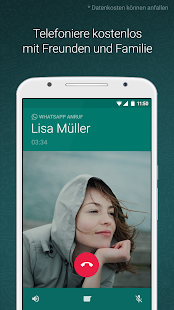
- Voice and Video Calls – Enjoy crystal‑clear voice and video calls with contacts anywhere in the world. Group video calls support up to eight participants, making it easy to host virtual gatherings, team meetings, or family catch‑ups.
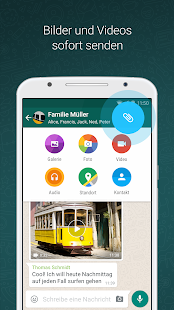
- Rich Media Sharing – Send photos, videos, documents (PDFs, spreadsheets, slideshows), voice messages, and even your location in seconds. With no file size limits on most standard documents, it’s perfect for sharing work files or vacation memories.
- Group Chats and Broadcasts – Create groups of up to 256 members, assign admins, set group descriptions, and control who can modify settings. Broadcast lists let you send a single message to multiple contacts without them seeing each other’s replies.
- Status Updates – Share ephemeral updates in the form of text, photos, or videos that disappear after 24 hours. Control who can view your status and engage with friends’ updates through private replies.
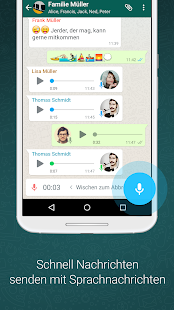
- Voice Messages – When typing isn’t convenient, simply hold the microphone button to record a voice message and send it instantly. Perfect for conveying tone and emotion without a call.
- WhatsApp Web and Desktop – Sync your conversations across your phone, computer, and tablet. Scan a QR code to access all your chats on a larger screen, with full keyboard support and the ability to send files from your desktop.
Why Choose WhatsApp Messenger?
WhatsApp’s dominance in the communication space is no accident – it combines reliability with genuine care for user privacy. Unlike many alternatives, WhatsApp does not clutter its interface with intrusive ads or unnecessary features that compromise the user experience. The app is free to download and use, with no subscription fees or hidden costs. Its lightweight design means it works smoothly on older smartphones and under limited bandwidth, making it accessible to users in developing regions where data may be expensive. Moreover, WhatsApp’s commitment to constant improvement is evident in regular updates that introduce better call quality, smarter notifications, and enhanced group management tools. For those who value clear, private, and instant communication, WhatsApp remains the gold standard.
How to Get Started with WhatsApp
Getting started is straightforward. Download WhatsApp from the Google Play Store, open the app, and verify your phone number via SMS or phone call. The app will automatically scan your device’s contact list to find friends who are already using WhatsApp, so you can start messaging immediately without manually adding anyone. You can customize your profile with a photo, status text, and privacy settings. To make your experience even richer, explore the Settings menu to adjust notification preferences, choose a dark theme, set custom wallpapers per contact, and configure data backup options so you never lose your chat history. For business use, consider the separate “WhatsApp Business” app, which offers catalog features and automated replies.
Tips and Tricks for Power Users
To get the most out of WhatsApp, try these advanced techniques: Pin important chats to the top of your list for quick access – simply long‑press a chat and select the pin icon. Use starred messages to bookmark key texts in any conversation; later, you can find all starred messages in a single view. Hide your “last seen” and profile photo from strangers by tweaking privacy settings. For group admins, the “group description” field and announcement only mode help keep large groups organized. Forwarding limits are in place to reduce spam, but you can still share messages to multiple groups if needed. Finally, remember that WhatsApp backups to Google Drive can be scheduled daily, weekly, or monthly, preserving your chats even if you switch phones.
In a world where trust and speed matter, WhatsApp Messenger stands out as a truly global communication hub. Its robust encryption, cross‑platform compatibility, and user‑friendly design have earned it the loyalty of over two billion users worldwide. Whether you are catching up with a neighbor, coordinating a project team, or checking in on elderly relatives, WhatsApp provides a secure and dependable channel that keeps you connected without compromise. Download the app today and experience the ease of messaging that feels like a conversation, not a chore.