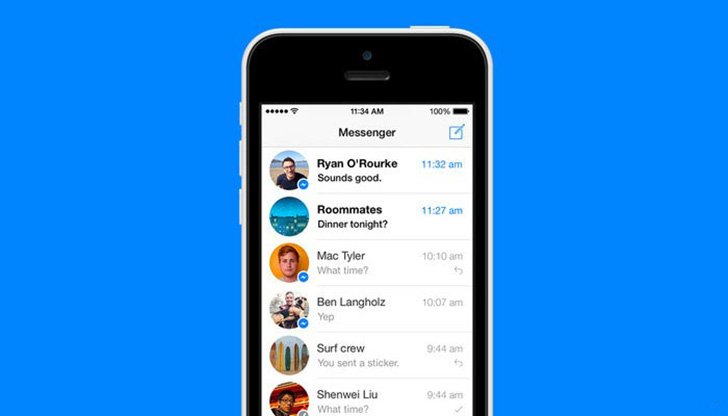
| Title | Messenger |
| Version | 386.2.0.22.106 |
| Price | Free |
| Category | Common |
| Package | com.facebook.orca |
Messenger, developed by Meta Platforms, Inc., is a powerful and versatile communication app that connects you with friends, family, and colleagues across the globe. Whether you're sending a quick text, hosting a group video call, or sharing a reaction to a memorable moment, Messenger provides a seamless and feature-rich platform for all your messaging needs. With deep integration into the Facebook ecosystem, you can start conversations from your social feed, share content effortlessly, and stay in touch with the people who matter most. Beyond basic messaging, Messenger offers a suite of tools designed to make every interaction more engaging, secure, and personalized. From high-quality voice and video calls to interactive stickers and games, this app transforms everyday communication into a dynamic experience. Available on Android, iOS, and desktop, Messenger ensures you never miss a beat, whether you're at home, at work, or on the go. With billions of users worldwide, it remains one of the most trusted and widely used messaging platforms, constantly evolving to meet the demands of modern connectivity.
Key Features
- Instant Text and Rich Media Messaging – Send and receive text messages with lightning speed, along with photos, videos, voice notes, and files. Enjoy expressive communication with a vast library of stickers, GIFs, emojis, and custom reactions that let you convey exactly how you feel.
- High-Quality Voice and Video Calls – Make crystal-clear one-on-one or group calls with up to 50 participants. Messenger automatically adjusts to your network conditions, ensuring a smooth experience even on slower connections. Features like background blur, fun filters, and reaction effects add a playful touch to your conversations.
- Group Chats and Communities – Create group conversations for friends, family, teams, or interest groups. Use polls, shared photo albums, and event planning tools to coordinate effortlessly. Group admins can manage permissions, set nicknames, and control who can send messages, making it ideal for both casual and professional settings.
- End-to-End Encryption and Privacy Controls – Optional Secret Conversations provide end-to-end encryption for sensitive chats, ensuring only you and your recipient can read the messages. Manage your privacy with features like vanishing messages, message requests, and the ability to block or report users. You are always in control of your data.
- Seamless Facebook Integration – Because Messenger is built by Meta, you can start a chat directly from a Facebook post, page, or event without switching apps. Share content from your feed, use Facebook Pay for peer-to-peer payments (in supported regions), and leverage Facebook Marketplace to negotiate deals—all within the same conversation.
- Customizable Chat Themes and Bubbles – Personalize your messaging experience with hundreds of chat themes, from gradient backgrounds to branded designs inspired by movies, games, and artists. Enable Chat Bubbles to multitask without leaving the conversation, or use the Floating Chat Heads on Android for quick access.
- Productivity and Fun Add‑Ons – Play games with friends inside the chat window, send money via Messenger Payments (where available), create polls to make group decisions quickly, and use the built-in camera with AR effects and masks to make every interaction memorable.
Why Choose Messenger Over Other Messaging Apps?
Messenger stands out because of its incredible versatility and deep integration with the world’s largest social network. Unlike standalone apps that require separate accounts and limited features, Messenger works seamlessly with your existing Facebook contacts and groups. This means you don’t have to ask friends to download yet another app—most people already have Messenger installed, making it a natural choice for staying connected. The app also excels in cross-platform consistency; you can start a conversation on your phone, continue it on your tablet, and finish it on your desktop without losing any messages or context. Furthermore, Messenger’s rich set of communication tools—from high‑quality video calls to interactive reactions—makes it suitable for both personal chats and professional collaboration. Businesses too can leverage Messenger for customer support, marketing, and sales through features like chatbots, automated replies, and the ability to send shipping updates. With constant updates and new features rolling out regularly, Messenger adapts to how the world communicates, whether it’s through text, voice, video, or even AI‑powered suggestions.
Another major advantage is Messenger’s focus on safety and control. While the main app uses server‑side encryption to protect your messages in transit, you can enable Secret Conversations for an extra layer of privacy on specific chats. The app also gives you granular settings to manage who can contact you, whether you appear online, and how your data is used. Parents can use supervised accounts to monitor their children’s interactions, and reporting tools empower users to flag harmful content. In a digital landscape where privacy concerns are paramount, Messenger provides transparent options that let you customize your experience while keeping your communications secure. Moreover, the app’s lightweight design ensures it runs smoothly on older devices and slower networks, so you never have to compromise on connectivity. Whether you’re using a flagship smartphone or a budget‑friendly model, Messenger delivers a consistent and reliable experience.
Tips and Tricks to Get the Most Out of Messenger
To maximize your Messenger experience, start by exploring the hidden settings and customization options. Swipe left on a chat to quickly find shared photos, links, or files—perfect for locating that one image you sent weeks ago. You can also use the search bar at the top of your chat list to instantly find messages containing specific words, names, or dates. For group chats, try using the “@mention” feature to notify specific people without pinging everyone, or set custom notifications for important conversations so you never miss a crucial update. If you’re overwhelmed by group messages, consider muting a chat for a set period or enabling “Do Not Disturb” during your focus hours. On the fun side, try the “Message Effects” feature: send a heart, fire, or birthday cake effect by long‑pressing the send button during a chat—your friends will see a colorful animation fill their screen. For video calls, use the “Share Screen” option to collaborate on documents or show photos in real time, making it a fantastic tool for remote work or virtual hangouts. Finally, take advantage of the “Vanish Mode” for casual conversations that automatically delete messages once you leave the chat—perfect for sharing temporary updates or inside jokes without leaving a permanent trace. By learning these helpful tips, you can transform Messenger from a simple messaging tool into a powerful hub for creativity, productivity, and connection.
Messenger is more than just a messaging app—it is a complete communication platform that adapts to your lifestyle. Whether you are catching up with an old friend, planning a family reunion, or managing a team project, Messenger offers the features and security you need to stay connected with confidence. Download Messenger today from the Google Play Store and experience a new level of effortless, engaging conversation that brings everyone closer, no matter where they are.