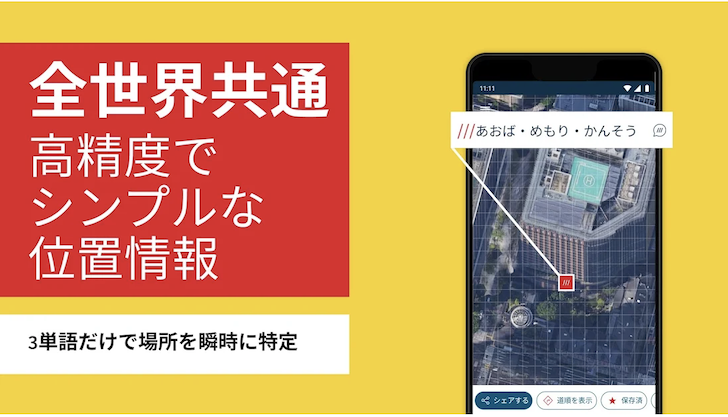
| Title | what3words |
| Version | Varies with device |
| Price | Free |
| Category | Common |
| Package | com.what3words.android |
Imagine trying to give someone your exact location, but addresses are too vague, GPS coordinates are too long, and landmarks change or disappear. Whether you are meeting friends in a sprawling park, coordinating delivery to the back entrance of an office building, or navigating a remote trail, pinning down a precise spot can be surprisingly difficult. what3words revolutionizes location sharing by dividing the entire world into a grid of 3-meter-by-3-meter squares and giving each square a unique, memorable combination of just three words. This deceptively simple system transforms how we communicate location — it’s as easy as saying “///filled.count.soap” and knowing instantly that you are standing exactly at the base of the Eiffel Tower. With millions of users across industries from emergency services to travel, the what3words app puts this powerful location engine directly in your pocket, making navigation, logistics, and the simple act of “meet me here” faster, more accurate, and far less frustrating.
Key Features
- Global 3-Word Addressing — Every 3m x 3m square on Earth has its own three-word address, meaning you can pinpoint any location, from the front door of a remote cabin to a specific spot on a crowded beach, with unparalleled accuracy. The system works in 50+ languages and is regularly updated to include new places and changes in the grid.
- Offline & Voice Navigation — Download your country’s map grid data and use the app completely offline – no internet connection required. The powerful voice input lets you simply say a three-word address out loud, and the app instantly finds it, making it ideal for hands-free navigation while driving, hiking, or cycling.
- Share Your Location Instantly — With a single tap, you can copy your current three-word address, share it via text, email, WhatsApp, or any messaging app, and even embed it into a shareable link. The recipient sees an interactive map with the exact location, eliminating the guesswork of coordinates or vague descriptions.
- Integrated Map & Directions — The app includes a built-in street map that works alongside Google Maps, Apple Maps, and other navigation services. You can view your three-word address on the map, get precise directions, and switch to your preferred navigation app for turn-by-turn guidance to that three-word point.
- Landmark & Address Lookup — If you know a street address or a popular landmark, simply search for it and the app will show you the corresponding three-word address for that precise spot. It works both ways: tap any point on the map to reveal its three-word address.
- History & Favorites — Keep a private history of your recent searches and saved three-word addresses. You can mark frequently used locations – such as home, work, or a secret fishing spot – as favorites for one-tap access, making daily routines even smoother.
- Voice Assistant Compatibility — The app works seamlessly with Android Auto and Google Assistant, so you can ask “Okay Google, open what3words” and navigate entirely by voice while keeping your eyes on the road.
Why Choose what3words for Everyday Location Sharing?
Traditional addresses were designed for buildings, not for the millions of places where people actually spend time: park benches, tent pitches, trailheads, outdoor event entrances, or a specific spot at a festival. GPS coordinates like “48.8584, 2.2945” are precise but hard to remember and prone to typos. what3words solves both problems by turning a long string of numbers into three everyday words that are easy to recall, spell, and communicate. Emergency services around the world, from the UK’s ambulance service to search and rescue teams in remote mountains, rely on what3words because it saves critical seconds when every moment counts. For travelers, it opens up the world beyond street addresses: you can find the exact beach access, the hidden viewpoint, or the back gate of a museum. Delivery drivers, rideshare users, and event organizers also love the peace of mind that comes with knowing “///tower.life.peak” will take you straight to the meet-up point, not a vague “near the main entrance.”
How to Use what3words – Simple and Intuitive
Getting started takes seconds. After opening the app, it will automatically detect your current location and display its three-word address at the bottom of the screen. To navigate somewhere, simply type or speak a three-word address into the search bar – the app zooms to that 3-meter square on the map. You can then tap the “Get Directions” button to launch your favorite navigation app with that exact location preloaded. To share your location, tap the Share button and choose how you want to send it. If you’re planning a trip offline, go to Settings and download the necessary country data so the app works anywhere without a data connection. The three-word addresses are stored locally on your device, so you can access your favorites and history even when flying or hiking in remote areas. The system is designed to be zero-friction: no complicated logins, no account required, no learning curve. Just three words and you’re pinpointed.
Tips and Tricks for Getting the Most Out of what3words
While the app is incredibly straightforward, a few expert tips can elevate your experience. Use the Move the Pin feature to adjust the exact 3m square – perfect when a specific bench or a particular spot on a sandy beach matters more than the area in general. Combine what3words with your personal calendar: when planning a hike or a meet-up, paste the three-word address directly into the location field of a calendar event so friends can navigate directly. If you frequently share the same location, like your office’s loading dock or a regular camping spot, save it as a favorite so you can share it with a single tap. The app also includes a Settings option to change the language of the three-word addresses – you can use English, French, German, Spanish, and dozens of other languages, making it a truly global tool. For business users, the what3words API integrates with delivery logistics software, but even as an individual, you can use the app to coordinate meet-ups at large sports stadiums, open-air markets, or university campuses with multiple entrances. Finally, always double-check that the three words are in the correct order – “table.lamp.shade” is a completely different location from “lamp.shade.table” – so share the address exactly as shown, with dots or spaces.
In a world where “I’ll wait by the big tree” or “It’s the third door on the right after the coffee shop” often leads to confusion, what3words offers a universal, precise, and human-friendly solution. From emergency responders to everyday explorers, anyone who needs to find or share an exact spot can benefit from this app. Download what3words and unlock the simple power of three words to describe any place on Earth – because no matter where you are, you’re only ever three words away from being found.