| Title | Waze Navigation & Live Traffic |
| Version | 4.89.0.1 |
| Price | Free |
| Category | Common |
| Package | com.waze |
Waze Navigation & Live Traffic isn’t just another GPS app—it’s a living, breathing navigation ecosystem powered by millions of drivers around the world. Where traditional maps offer static directions, Waze turns every commute into a collaborative experience. Think of it as a network of eyes on the road, constantly sharing real-time updates about traffic jams, accidents, police presence, road hazards, and even the cheapest gas stations. Whether you’re a daily commuter navigating rush hour, a road trip enthusiast exploring new routes, or a delivery driver trying to shave minutes off each trip, Waze adapts to changing conditions faster than any static map can. The app learns from its community: the more people use it, the smarter it gets. You don’t just follow a route—you help build it. With turn-by-turn voice guidance, automatic rerouting when a faster path emerges, and an interface designed to keep your eyes on the road, Waze aims to make every journey not just faster, but safer and more engaging. It’s free, ad-supported, and constantly evolving. If you want a navigation partner that thinks like a local and updates like a news feed, Waze is the one you need.
Key Features
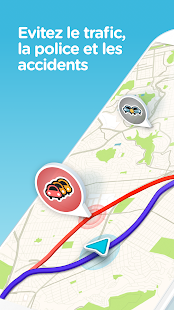
- Real-Time Community Alerts – See live reports from fellow drivers: accidents, stalled vehicles, potholes, roadkill, lane closures, and more. You can also report hazards yourself with just a few taps, making the entire community safer.
- Live Traffic Routing – The app continuously recalculates your route based on current traffic conditions. It suggests alternative paths the moment a faster option emerges, saving you minutes and avoiding congestion.
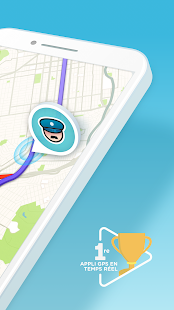
- Police & Speed Camera Alerts – Get notified about mobile police traps, fixed speed cameras, and red-light cameras. The community crowdsources these locations, so you always know where to slow down.
- Voice Navigation with Custom Voices – Choose from a variety of voice options, including celebrity voices (when available) or record your own. Directions are clear and designed to minimize distractions.
- Fuel & Pricing Information – Compare gas prices at stations along or near your route. Waze shows the cheapest options, so you can fill up without going out of your way.
- Automatic Rerouting & ETA Sharing – If a better route emerges mid-trip, Waze automatically reroutes you. You can also share your estimated arrival time with friends or family, so they can follow your journey live.
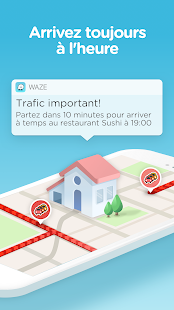
- Planned Drives & Calendar Integration – Pre-schedule trips with departure or arrival time. Waze calculates the best departure time based on expected traffic. It can even sync with your phone’s calendar for events.
Why Choose Waze Over Other Navigation Apps?
Navigation apps are everywhere, but Waze stands out for one simple reason: it’s built by the people who drive every day. While other apps rely on historical data and fixed maps, Waze uses live information from its community to show you what’s happening right now. That means when a sudden accident blocks the left lane, you’ll know almost instantly—and Waze will find a way around it before you even reach the bottleneck. The app doesn’t just tell you there’s traffic; it explains why (accident, construction, stalled vehicle) and gives you actionable alternatives.
Another big advantage is the depth of customization. You can choose your navigation icon (car, motorcycle, even a unicorn), personalize alerts (only get notified about accidents, not police, if that’s your preference), and even select how you want to hear directions (voice style, language, volume). The social layer also adds a fun twist: you can see how many Wazers are ahead of you, earn points for reporting, and level up your “Waze ranking.” It turns a boring commute into a little game.
Waze is also particularly strong in urban and suburban areas where traffic patterns change quickly. If you’ve ever been stuck in a jam while your GPS showed a green road that was actually gridlocked, you know the frustration. Waze solves that by constantly refreshing its data. And because it’s free, you can test it without any commitment. Many users find that after a week, they can’t go back to a static map.
How to Get the Most Out of Waze
To maximize Waze’s potential, start by creating a free account. This lets you save favorite places (home, work, school), store your vehicle details (for fuel type and preferred stations), and keep your rank and history across devices. Once logged in, allow location access at all times so the app can learn your commuting patterns and improve its suggestions. You’ll notice that after a few trips, Waze begins to suggest the best departure times for your daily route.
Make reporting a habit. When you see something on the road—a stopped car on the shoulder, a new lane closure, a speed trap—tap the orange circle on the main screen and choose the relevant icon. Reporting takes only two seconds but helps thousands of other drivers. Over time, you’ll build up your “pace” (a measure of reporting activity) and unlock new features like the ability to edit maps.
Also, explore the navigation settings. You can turn on “avoid toll roads” or “avoid ferries” if you prefer, set your vehicle type (car, motorcycle, taxi, etc.), and even prevent Waze from suggesting “difficult intersections” (like sharp left turns across traffic). For long trips, use the “Planned Drives” feature: set your arrival time, and Waze will wake you up with an alert telling you exactly when you need to leave, taking into account real-time traffic forecasts.
Tips and Tricks for Power Users
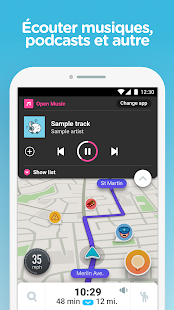
If you really want to level up, here are some insider tips. First, use the “Waze Audio” options to only hear alerts when needed—you can set it to play over Bluetooth only or through phone speakers. Second, before a trip, tap the magnifying glass in the search bar and type “add a stop” to find a coffee shop or restroom along the route. You can also save your parking location by tapping “I parked” when you arrive, so you don’t forget where you left the car.
Community editing is another powerful tool. If you see a map error—a street that doesn’t exist, a wrong one-way direction—you can update it directly in the app (after reaching a certain reporting level). These edits get reviewed by volunteer map editors, making Waze’s map more accurate than any commercial product in many areas. For the truly dedicated, there’s the Waze app for desktop (Waze Map Editor) where you can do advanced edits.
Finally, don’t forget the social features. You can add friends from your contacts or Facebook and see their current ETA if they share a drive with you. If you’re planning a meetup, use the “Meet Up” feature to send your live location and let others navigate to you. It’s perfect for road trips with multiple cars.
Safety and Privacy Considerations
Waze takes safety seriously. The app is designed for minimal distraction: you can report incidents with a few taps while driving (the screen stays simple, and voice commands are available). However, it’s best to pull over to report or use the passenger feature. The app also includes a “Drive to” button that lets you select a destination from your saved places without fiddling with the map. For privacy, you can choose to make your profile anonymous to others, and your exact location is never shared publicly—only aggregated data is used to improve traffic.
Another useful safety tool is the “Share my ETA” feature. When you’re heading home late at night, share your progress with a trusted contact. They’ll see your route and estimated arrival. If you go significantly off route or stop moving, they’ll know something may be wrong. This can be a real peace-of-mind feature for solo travelers.
Waze Navigation & Live Traffic is more than a GPS—it’s a driver community. Its strength lies in collective intelligence: every user contributes to making roads faster, safer, and more predictable. Whether you’re dodging a sudden traffic jam, avoiding a speed trap, or finding the cheapest gas, Waze keeps you informed and in control. Download it today from the Google Play Store and start driving with the smartest copilot on the road. Join millions of Wazers who have turned their daily commute into a shared, improving experience. Your trips will never be the same.