| Title | Universal TV Remote Control |
| Version | 2.0.2 |
| Price | Free |
| Category | Common |
| Package | com.universal.tv.remote.control.all.tv.controller |
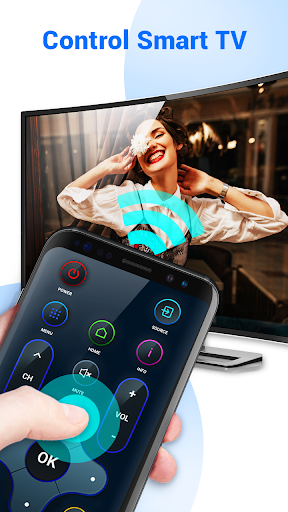
Imagine never scrambling for a lost TV remote again, or juggling multiple remotes for different devices. The Universal TV Remote Control app, developed by TV Master - Smart TV Remote Control, transforms your Android smartphone into a powerful, all-in-one remote that works with a vast array of television brands and models. Whether you have a modern smart TV or an older infrared-based set, this app provides a convenient solution to control your viewing experience directly from your phone. No more searching under couch cushions or buying expensive universal remotes – your phone does it all. The app leverages your device’s built-in infrared (IR) blaster (if available) or connects via Wi-Fi or Bluetooth to compatible smart TVs, offering a seamless and responsive control interface. With an intuitive layout that mimics traditional remote controls, Universal TV Remote Control makes channel surfing, volume adjustments, and input switching effortless. It is designed to be the last remote you will ever need, consolidating control of your television into a single, always-accessible app. Whether you are at home, in a hotel room, or visiting a friend, this app turns your smartphone into the ultimate household helper for entertainment.
Key Features
- Broad Compatibility: Universal TV Remote Control supports a wide range of television brands including Samsung, LG, Sony, Panasonic, TCL, Vizio, Philips, Sharp, Hisense, and many others. Whether your TV uses IR, Wi-Fi, or Bluetooth, the app adapts to your specific model.
- Multi-Connection Options: Depending on your phone’s hardware, the app can send commands via IR blaster (for older TVs) or through network connections (for smart TVs). This flexibility ensures you can control virtually any television, even without an IR port on your phone.
- Simple Setup Process: No complicated pairing codes or lengthy tutorials. Just open the app, select your TV brand from the list, and choose your model from the database. In seconds, you are ready to control your television.
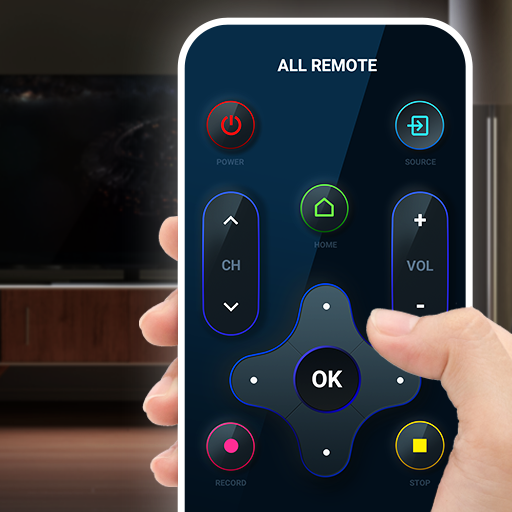
- Complete Remote Functions: The app provides all the essential buttons you expect – power on/off, volume up/down, channel up/down, mute, numeric keypad for direct channel entry, input selector, and directional navigation for smart TV menus.
- Customizable User Interface: Adjust the layout to match your preferences. You can resize buttons, change the theme color, or add shortcuts for your most-used functions. The interface is designed to be intuitive and accessible for all ages.
- Favorites and Presets: Save your go-to channels as favorites for instant access. Create custom presets for different times of the day or for different family members, making it easy to jump to your preferred content without scrolling.
- Support for Additional Devices: Some versions of the app also allow you to control set-top boxes, streaming devices, and even soundbars, turning your phone into a true universal home entertainment control center.
Why Choose Universal TV Remote Control
In a world where every device seems to come with its own remote, clutter and confusion are inevitable. This app eliminates that chaos by putting control of your primary entertainment device right into your pocket. One of the most compelling reasons to choose Universal TV Remote Control is its convenience – you always have your phone with you, so you never have to worry about a dead remote battery or a lost controller. Additionally, the app is constantly updated by the developer to add new TV models and features, ensuring long-term compatibility and performance.
Another advantage is the cost savings. Instead of purchasing separate universal remotes that can be expensive and limited, this app is a free (or low-cost) solution that uses existing smartphone hardware. For phones with an IR blaster, no extra accessories are required; for others, a simple network connection to a smart TV suffices. The app also provides a cleaner interface than many physical remotes, with larger buttons and an easy-to-read screen that can be particularly helpful for users with visual impairments.
Finally, the Universal TV Remote Control app respects your privacy. It does not require unnecessary permissions and operates entirely offline when using IR commands. When network control is used, data transmission is minimal and focused only on sending remote commands securely. This makes it a safe and reliable choice for your home.
How to Use Universal TV Remote Control
Getting started with the app is straightforward. First, download and install Universal TV Remote Control from the Google Play Store onto your Android device. Open the app, and you will be greeted by a simple walkthrough. Choose your television brand from a comprehensive list (e.g., Samsung, Sony, LG). The app will then prompt you to test a few basic commands – power, volume, and channel – to ensure the connection works. If your phone has an IR blaster, simply point it at the TV. For smart TVs, ensure your phone is connected to the same Wi-Fi network, then follow the on-screen pairing instructions (often a PIN code displayed on the TV). Once paired, the app saves your configuration, so you can resume controlling instantly next time.
After setup, you will see a familiar remote control layout. Tap the power button to turn your TV on or off. Use the volume and channel rockers to make adjustments. For more advanced functions, swipe to access additional screens – maybe a number pad, input buttons, or a settings menu. Many users find the directional pad (D-pad) particularly useful for navigating smart TV interfaces such as Netflix, YouTube, or the TV’s own streaming hub. If you ever need to control a different TV (e.g., in another room or at a friend’s house), simply switch the device profile from the app’s settings menu.
Tips and Tricks for a Better Experience
To get the most out of Universal TV Remote Control, consider these practical tips. First, if your phone lacks an IR blaster, ensure your smart TV supports network remote control protocols (most modern ones do). You can check your TV’s user manual for “Remote over Wi-Fi” or “IP Control” options. Second, create separate profiles for each TV you use regularly – for example, a profile for the living room and another for the bedroom. This allows you to switch between devices without re-pairing each time.
Another helpful trick is to use the “Favorites” feature to store your most-watched channels. Instead of scrolling through dozens of channels, you can jump directly to your preferred news, sports, or movie channels with one tap. If you have a sound system connected to your TV, check whether the app can control the volume via HDMI-CEC or IR – many universal remotes can learn commands from the original remote, though this app typically comes pre-loaded with codes for most devices. Finally, keep the app updated to access the latest TV model codes and performance improvements. If you encounter a TV that is not listed, you can often learn the remote via the “Manual Setup” option, which lets you test codes until one works.
Universal TV Remote Control transforms your smartphone into a powerful and convenient household tool. By consolidating control of your television into a single, easy-to-use interface, it saves you time, money, and frustration. Whether you are tired of lost remotes, want to simplify your living room, or just need a backup controller, this app delivers reliability and ease. Download Universal TV Remote Control today and take command of your entertainment – literally at your fingertips. Experience the future of remote control where your phone does it all.