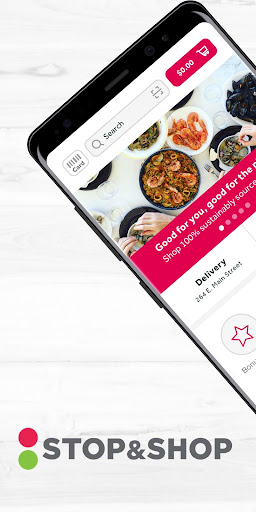
| Title | Stop & Shop |
| Version | 7.14.4 |
| Price | Free |
| Category | Common |
| Package | com.stopandshop.mobile.droid |
Stop & Shop is the official mobile companion for one of the most trusted supermarket chains on the East Coast. More than just a digital circular, this app transforms your smartphone into a full-service grocery assistant — letting you browse weekly specials, clip digital coupons, build shopping lists, and even order groceries for same-day pickup or delivery without leaving your couch. Whether you are meal-prepping for the week or just grabbing essentials, the Stop & Shop app streamlines every step of your shopping trip, saving you time and money with features that put your local store right in your pocket.
Key Features
- Order Online & Save Time — Choose from thousands of products and schedule a contact-free pickup or home delivery. The app remembers your past purchases, making reordering your staples effortless. You can also create a custom shopping list and have a personal shopper pick everything for you.
- Digital Coupons & Personalized Deals — Clip exclusive digital coupons directly in the app and watch the savings stack up before you check out. The app tailors offers based on your shopping history, so you see the deals you actually use – from fresh produce to pantry staples.
- Weekly Flyer & In‑Store Mode — Browse the electronic version of the weekly ad with just a tap. When you are inside a Stop & Shop store, turn on in-store mode to find products faster, scan barcodes to compare prices, and access additional flash deals that only appear while you shop.
- Loyalty Rewards & Fuel Points — Every purchase counted. Link your Stop & Shop card to earn Fuel Points for discounts at participating gas stations. The app tracks your progress toward reward tiers so you never miss out on earning extra savings.
- Smart Shopping Lists — Create multiple lists for different occasions: “Weeknight Dinner,” “Kids’ Lunch,” or “Backyard BBQ.” The app organizes items by aisle (when available) and lets you share your list with family members, so everyone can chip in before the trip.
- Store Locator & Quick Info — Find the nearest Stop & Shop with hours, services (pharmacy, seafood counter, bakery), and available pickup/delivery windows – all displayed on an interactive map. You can also check real‑time store busyness to pick the best time to visit.
- Recipe Inspiration & Meal Planning — Browse a curated collection of recipes that automatically generate a shopping list of ingredients you can buy with one tap. Filter by dietary preferences (gluten‑free, vegetarian, etc.) and plan your week’s meals directly inside the app.
Why Choose the Stop & Shop App?
Stop & Shop has been a neighborhood staple for decades, and this app brings that familiar, helpful shopping experience into the digital age. Unlike generic grocery delivery platforms, the Stop & Shop app is deeply integrated with your local store’s inventory, pricing, and loyalty program. That means you get the same weekly deals you see in the flyer, the same coupons you would clip with scissors, and the same fuel rewards you earn at the pump – all synced automatically to your account.
What sets this app apart is its seamless blend of planning and execution. You can start a shopping list during your morning commute, clip coupons on your lunch break, and place a pickup order on your way home – all without ever writing a physical list or fumbling with paper coupons. For families, the shared list feature eliminates the dreaded “did you grab milk?” text. And if you prefer to shop in person, the in-store mode acts like a digital map and price checker, making your trip faster and more informed.
How to Make the Most of the Stop & Shop App
Start with your loyalty card. If you haven’t linked your Stop & Shop card yet, go to the “My Account” section and enter your card number. This unlocks all digital coupons, personalized deals, and fuel point tracking. Without linking, you’re missing out on the majority of savings.
Clip coupons before you order or head to the store. Every week the app updates with new digital coupons. Take three minutes on Sunday evening to scroll through and tap “Clip” on the ones you’ll use. The savings are applied automatically at checkout – no need to present a printed coupon. You can even combine manufacturer digital coupons with store offers for extra discounts.
Use the “Favorites” feature for speed. After a few orders, the app learns your go‑to items. Pin frequently bought products (like milk, bread, eggs, or your favorite yogurt brand) to a Favorites list. This builds your personal “quick reorder” page, cutting order time in half.
Take advantage of flexible delivery windows. If you’re planning ahead, check the app a day or two in advance for the best time slots. For same‐day orders, early morning often has more availability. Pickup is usually free for orders over a certain amount, and the app shows you exactly when your groceries will be ready.
Tips and Tricks for Savvy Shoppers
Combine weekly ad deals with digital coupons. The best savings come from stacking: find a product that is on sale in the weekly ad AND has a digital coupon available. The app will automatically apply both, often giving you 40‑50% off. Look for the “Stackable” tag when browsing offers.
Plan your meals around the weekly flyer. Before writing your shopping list, open the app’s weekly ad and note which proteins, produce, and pantry items are deeply discounted. Then use the recipe feature to turn those ingredients into a few dinners. This reduces food waste and your total bill.
Check for “Flash Deals” when you walk into the store. In‑store mode occasionally shows extra discounts you won’t see online or in the flyer. Open the app as you walk in, enable location permission, and look for a banner that says “In‑Store Only Offer.” These are often on high‑margin items like snacks or seasonal goods.
Track your fuel points carefully. The app shows how many fuel points you’ve earned in the current month and how close you are to the next reward tier. If you’re near the threshold, consider adding a few extra pantry items to push you over the line – those points can save you up to $1.00 per gallon at participating Shell stations.
Use the “Scan & Save” in‑store feature. If you’re shopping physically, scan product barcodes with the app to check if there’s a digital coupon or a lower price on the shelf. You might find an unadvertised deal that you would otherwise miss.
Who Is the Stop & Shop App For?
This app is designed for anyone who shops at Stop & Shop – from busy parents who want to save time on weekly grocery runs, to students looking for quick meal solutions, to seniors who appreciate the convenience of delivery. It’s also ideal for households that are serious about budgeting: the app’s coupon‑clipping and fuel point tracking can lead to significant yearly savings without any extra effort. Even if you rarely order online, the app’s weekly ad and list features make in‑store shopping faster and more organized.
Stop & Shop has worked hard to make the digital experience as intuitive as walking the aisles. The interface is clean, the search function is robust (you can filter by dietary tags like gluten‑free or organic), and the customer support is responsive. Whether you are a loyal customer of decades or shopping at Stop & Shop for the first time, downloading this app will turn every trip – online or in‑person – into a smarter, more rewarding experience.