| Title | GPS, Maps, Voice Navigation & |
| Version | 11.83 |
| Price | Free |
| Category | Common |
| Package | com.maps.voice.navigation.traffic.gps.location.route.driving.directions |
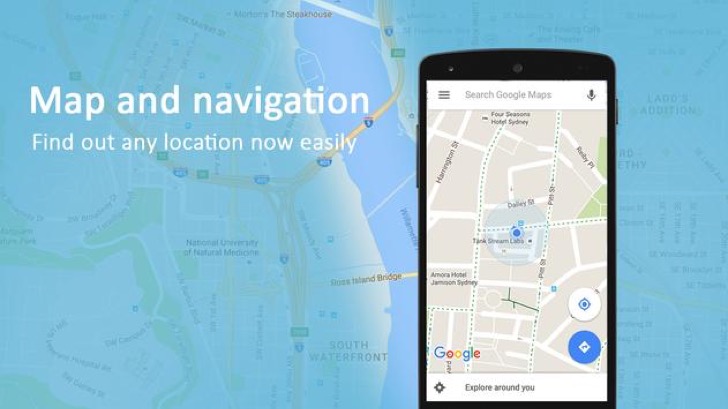
Whether you are a daily commuter, a cross‑country traveler, or simply someone who hates getting lost, GPS, Maps, Voice Navigation & Traffic is the all‑in‑one navigation companion you have been searching for. Developed by AppStar Studios, this application transforms your Android device into a reliable, feature‑rich navigation system that goes far beyond basic turn‑by‑turn directions. It combines real‑time traffic updates, crystal‑clear voice guidance, and an easy‑to‑use interface to help you reach any destination with confidence. No more squinting at tiny screens or fumbling with paper maps – this app puts a powerful, pocket‑sized GPS assistant right at your fingertips. From finding the fastest route during rush hour to discovering nearby points of interest, every journey becomes smoother, safer, and more enjoyable. The app is designed to work seamlessly both online and offline, ensuring that you stay on track even when connectivity is limited. With its smart route planning and constant traffic monitoring, you can avoid jams, road closures, and unnecessary detours, saving both time and fuel. Best of all, the voice navigation feature is clear, natural, and timely, allowing you to keep your eyes on the road while the app speaks each instruction aloud. Whether you are driving, walking, cycling, or using public transportation, GPS, Maps, Voice Navigation & Traffic adapts to your preferred mode of travel and provides accurate, up‑to‑date guidance. It is the ultimate tool for modern explorers who value efficiency, safety, and simplicity.
Key Features
- Real‑Time GPS Tracking & Turn‑by‑Turn Directions – The app uses your device’s built‑in GPS to pinpoint your exact location and provide precise, step‑by‑step navigation. Every turn, intersection, and highway exit is announced clearly, so you never miss a maneuver. The map updates continuously as you move, keeping you aligned with your chosen route.
- Voice Guidance in Multiple Languages – A standout feature is the natural‑sounding voice navigation that speaks street names and instructions out loud. You can choose from a variety of voices and languages, making the app accessible to drivers and travelers from all over the world. The voice prompts are delivered at the perfect moment – not too early, not too late – so you can stay focused on driving.
- Live Traffic Updates & Smart Route Rerouting – Nobody likes sitting in unexpected traffic. That is why the app integrates live traffic data to show you congestion levels, accidents, roadworks, and delays in real time. If a faster alternative emerges, the app automatically recalculates your route, saving you precious minutes and reducing frustration during peak hours.
- Offline Maps & Navigation – Planning a trip through areas with weak or no cellular signal? No problem. You can download entire regions, states, or countries to your device and use the maps offline. The offline mode still provides full turn‑by‑turn directions and point‑of‑interest search, so you are never left stranded without guidance.
- Multi‑Mode Transportation Support – Whether you are behind the wheel, on a bicycle, walking, or relying on public transit, the app tailors the experience to your mode of travel. It shows bike lanes, walking paths, bus stops, and train stations, and calculates the most efficient route for each option. The interface automatically highlights the relevant details, such as speed limits for drivers or pedestrian shortcuts for walkers.
- Comprehensive Points of Interest (POI) Database – Need to find a gas station, restaurant, hotel, ATM, or hospital along the way? The built‑in POI search lets you discover thousands of places nearby or along your route. Each listing includes ratings, opening hours, contact information, and user reviews, making it easy to plan stops when needed.
- Speed Limit Alerts & Safe Driving Aids – Safety is a top priority. The app displays current speed limits on most roads and warns you if you exceed them. It also highlights sharp curves, school zones, and other potential hazards, helping you drive more responsibly and avoid tickets.
Why Choose GPS, Maps, Voice Navigation & Traffic Over Other Navigation Apps?
There are plenty of navigation apps on the market, but GPS, Maps, Voice Navigation & Traffic stands out because of its perfect balance between simplicity and power. Many free apps bombard you with ads or limit essential features behind paywalls; this app delivers a clean, ad‑light experience that focuses on what really matters – getting you safely from point A to point B. The data usage is optimized to be minimal, which means you won’t burn through your mobile plan even with live traffic enabled. AppStar Studios has also fine‑tuned the voice recognition engine to understand natural language queries, so you can say things like “find the nearest coffee shop” or “avoid toll roads” without typing a single word. The interface is intuitively designed, with large buttons and high‑contrast colors that are easy to read even in direct sunlight or while wearing polarized sunglasses. Regular updates ensure that the maps and traffic data remain accurate, and the community feature allows users to report incidents like road closures or speed traps, benefiting everyone. For those who value privacy, the app does not sell your location data – your routes and history stay on your device unless you choose to share them. All these thoughtful touches make this app a reliable choice for both daily drivers and long‑distance adventurers.
How to Get the Most Out of the App: Tips and Tricks
To truly maximize the potential of GPS, Maps, Voice Navigation & Traffic, take a moment to explore the settings menu before your first big trip. Start by downloading offline maps for areas you frequently visit or plan to travel through – this will save data and guarantee navigation even without a signal. You can download maps by country or by specific region, and they update automatically when you are connected to Wi‑Fi. Next, customize your voice preferences: choose a voice that sounds comfortable to you and adjust the volume separately from your music or podcast. The app supports a “mix” mode that keeps your audio playing while still delivering navigation prompts at the right moments. Another tip is to enable “alternative route previews” – when the app finds a faster route due to traffic, it shows you a side‑by‑side comparison of time and distance, letting you accept or ignore the change. If you are walking, remember to switch to pedestrian mode; the app will guide you through footpaths and pedestrian crossings that aren’t shown in driving mode. For cyclists, enabling the “bike lane preference” can lead you to safer, quieter roads. Finally, make use of the “favorites” feature to save your home, work, and frequently visited locations. You can then start navigation with a single tap, no typing required. With these simple adjustments, you will turn a great navigation app into an indispensable travel partner.
In a world where time is precious and every minute counts, having a navigation app that works intelligently, adapts to your style, and never lets you down is not just a convenience – it is a necessity. GPS, Maps, Voice Navigation & Traffic from AppStar Studios delivers exactly that. Its robust feature set, from real‑time traffic rerouting to offline capabilities and multi‑mode support, ensures that you are always one step ahead of the road. Whether you are navigating a familiar city commute or embarking on an epic road trip across the country, this app provides the confidence and clarity you need. Download it today and experience a smarter way to reach every destination – with your eyes on the road and your mind at ease.