| Title | GroupMe |
| Version | 5.70.11 |
| Price | Free |
| Category | Common |
| Package | com.groupme.android |
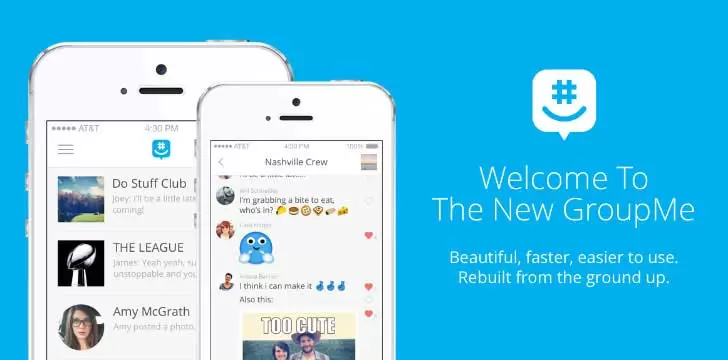
GroupMe is a powerful, free group messaging app designed to keep everyone connected, whether you're planning a family reunion, coordinating a sports team, managing a project at work, or just staying in touch with friends. Unlike typical messaging apps that focus on one-to-one chats, GroupMe is built from the ground up for groups of any size. It combines the simplicity of SMS with the rich features of a full-featured chat platform, making it a top choice for communication on Android devices. With GroupMe, you can create groups with up to 500 members, share photos, videos, GIFs, and documents, schedule events, and even send direct messages — all without needing a separate SMS plan. The app works across iPhone, Android, and the web, ensuring that no one is left out. Whether you're a college student organizing a study group, a community leader planning a block party, or a family spread across the globe, GroupMe offers a seamless, intuitive experience that makes group conversations easy and enjoyable.
Key Features
- Create and Manage Groups of Any Size: Start a new group in seconds and add up to 500 members. You can name your group, set a custom photo, and choose from a variety of emoji or custom reactions. GroupMe also lets you share a unique group link so anyone can join with a single tap — no need to exchange phone numbers.
- Rich Media Sharing: Send high-resolution photos, videos, GIFs, and documents directly in the chat. The built-in camera and gallery integration make it easy to capture and share moments instantly. You can even create shared albums that all group members can contribute to, turning your group into a living photo book.
- Direct Messages & Mentions: While GroupMe shines in groups, it also supports one-on-one direct messaging. Tag specific members with @mentions to grab their attention or use the “Like” button to show approval without cluttering the chat. GroupMe also includes a private “Whisper” feature (available on the web) for side conversations within a group.
- Event Scheduling & Calendar Integration: Keep your group on schedule with built-in event creation. Add events with date, time, location, and description, and group members can RSVP with a single tap. Events sync automatically with your device calendar, so you never miss a meeting, game, or party.
- Cross-Platform & SMS Fallback: GroupMe works seamlessly on Android, iOS, and the web (groupme.com). If a member doesn't have the app, they can still participate via SMS text messages — perfect for including family members who aren't tech-savvy or who prefer not to install another app.
- Custom Emoji & Reactions: Express yourself with a huge library of emoji, including custom GroupMe emoji (like the legendary “Sir Taco” and “Bearhug”). You can also react to any message with a tap, making conversations more interactive and fun.
- Location Sharing & Polls: Share your real-time location so group members can find you easily. Polls let you quickly gather opinions on anything — from where to eat dinner to what time to meet — without endless back-and-forth messages.
Why Choose GroupMe?
There are dozens of messaging apps out there, but GroupMe fills a unique niche. It’s specifically designed for groups that need to communicate efficiently without the noise of social media. Unlike WhatsApp or Telegram, which require everyone to use the same app, GroupMe’s SMS fallback means that even your grandmother with a flip phone can stay in the loop. The app is completely free — no ads, no premium subscriptions, and no hidden fees. It’s owned by Microsoft, which means steady updates, strong security, and integration with other Microsoft services like Outlook and Teams, though you don’t need any Microsoft account to use it.
GroupMe is particularly beloved by students and educators. Many universities use it for class group projects, club announcements, and even official campus communications. Its lightweight design and low data usage make it ideal for areas with spotty internet. And because there’s no algorithm curating your feed, you see every message from your groups in chronological order — no missing important updates because of “smart” sorting.
Tips and Tricks for Getting the Most Out of GroupMe
Organize Your Groups with Categories: If you have many groups (family, work, hobbies), use the custom order feature by dragging and dropping groups in the app. You can also mute notifications for less active groups while keeping alerts on for urgent ones.
Use Polls to Make Decisions Fast: Instead of typing “Are we free on Friday?” and waiting for everyone to reply, create a poll with a few date options. Group members can vote instantly, and you’ll see the results in real time. This is a lifesaver for event planning.
Master the Whisper Feature: On the web version, you can send a private message to a specific group member by typing “/whisper @username”. This allows you to ask a quick question without leaving the group chat — perfect for coordinating surprises or clarifying details.
Share Your Screen or Livestream: GroupMe supports screen sharing and live streaming for video calls (available on the web). Use it for remote presentations, virtual game nights, or just to show something cool to your group.
Save Important Messages: While GroupMe doesn’t have a “star” feature, you can search your chat history by keyword. Use the search bar at the top of any group to find that one message about the meeting time or the recipe your friend shared.
Keep Your Data Safe: GroupMe encrypts messages in transit and does not read your private conversations. If you’re concerned about privacy, you can delete individual messages or entire chats from both ends. For extra security, use a strong password for your account and enable two-factor authentication.
How to Get Started with GroupMe
Download GroupMe from the Google Play Store for free. Installation takes less than a minute. Once you open the app, create an account with your phone number or email — you don’t need Facebook or Google to sign up (though those options are available for convenience). After verifying your number, you can immediately start a group by tapping the “New Group” button. Give your group a name, invite members from your contacts or via a shareable link, and you’re ready to chat. The app walks you through the basics with a friendly tutorial, so even first-time users will feel at home.
GroupMe also offers a dedicated experience for specific use cases. For example, if you’re a teacher, you can create a “Classroom” group with moderation controls. If you’re an event organizer, you can use the “Event” feature to set up everything from potlucks to conferences. The possibilities are endless because GroupMe adapts to your needs — not the other way around.
In a world where communication tools often try to do too much or too little, GroupMe strikes the perfect balance. It’s simple enough for a quick family chat but powerful enough to coordinate a 500-member organization. The absence of distracting ads and the ability to include anyone via SMS make it one of the most inclusive and user-friendly group messaging apps available. Whether you’re planning a wedding, running a fantasy football league, or just keeping in touch with old friends, GroupMe is the reliable, no-fuss solution that just works. Download GroupMe today and see why millions of people trust it to stay connected.