| Title | Google Wallet |
| Version | Varies with device |
| Price | Free |
| Category | Common |
| Package | com.google.android.apps.walletnfcrel |
Google Wallet transforms your everyday transactions by turning your Android device into a secure, versatile digital wallet. No more fumbling for physical cards, cash, or paper tickets—just tap, pay, and go. Whether you're buying coffee, boarding a flight, or storing a loyalty card, Google Wallet brings everything together in one convenient, always-accessible app. Designed with robust security and backed by Google's trusted infrastructure, it simplifies how you manage payments, passes, and more, all while keeping your data safe. In an increasingly contactless world, Google Wallet is the smart companion that helps you move faster and live easier.
Key Features
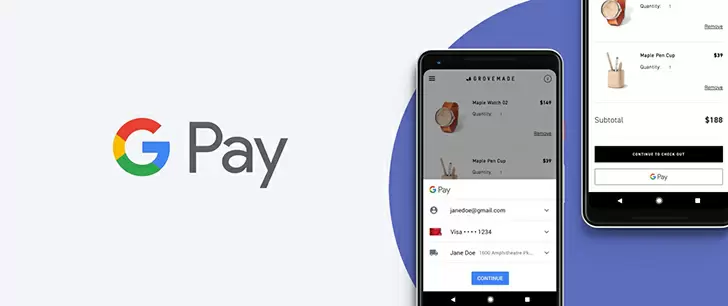
- Contactless Payments Worldwide – Add your credit and debit cards, then tap your phone at any contactless terminal to pay quickly and securely. Works wherever Google Pay is accepted—from corner stores to major retailers.
- Store Loyalty Cards & Gift Cards – Never miss out on points or discounts again. Easily add your favorite store loyalty cards, gift cards, and membership passes so they're always just a tap away.
- Transit Passes & Boarding Passes – Load your bus, train, or metro passes, plus airline boarding passes, directly into the app. Skip the ticket kiosks and paper printouts—just tap your phone at the gate or turnstile.
- Secure & Private by Design – Your payment information is encrypted and never shared with merchants. Google Wallet uses tokenization and requires your device lock (PIN, pattern, or biometric) for every transaction, giving you peace of mind.
- Simple Setup & Easy Management – Add cards and passes in seconds by scanning them or signing into your accounts. Organize, remove, or reorder items with a few taps. You can also view recent transactions and manage settings directly within the app.
- Works with Wear OS – Leave your phone behind and pay from your wrist using a compatible smartwatch. Perfect for workouts, quick errands, or when you need to travel light.
- One Hub for Everything – From event tickets to student IDs, and even digital car keys (where supported), Google Wallet consolidates multiple items into a single, streamlined interface.
Why Choose Google Wallet?
In a world overloaded with physical cards, paper tickets, and separate apps, Google Wallet offers a unified solution that saves space, time, and hassle. You no longer need to search through your wallet for the right loyalty card or scramble to print a boarding pass. With Google Wallet, everything you need is already organized on your phone—ready the moment you tap. The app integrates seamlessly with the Google ecosystem, so you can access your passes from other Google services like Gmail or Google Calendar. And because Google Wallet is built on years of security expertise, you can trust that your financial data is protected by industry-leading encryption, fraud monitoring, and the same robust infrastructure that secures billions of Google accounts.
Moreover, Google Wallet is constantly expanding its capabilities. New partners add support for more transit systems, stadiums, and loyalty programs regularly. The app also supports the latest contactless standards, meaning it works not only with modern payment terminals but also with older NFC readers. Whether you're a frequent traveler, a busy parent, or someone who simply wants to declutter their physical wallet, Google Wallet adapts to your lifestyle and grows with you.
How to Get Started with Google Wallet
Getting started is effortless. After downloading the app, you’ll be guided through a simple setup: add your first payment card by scanning it with your phone's camera or entering the details manually. You may need to verify the card with your bank—a quick process that usually takes just a few minutes. Once verified, you can immediately start tapping to pay at any contactless terminal. To add loyalty cards, gift cards, or passes, look for the “Add to Google Wallet” button on partner websites, emails, or apps. Alternatively, you can manually enter membership numbers or scan barcodes. The app intelligently organizes everything into categories, so you can find what you need in seconds.
For everyday use, simply wake your phone, unlock it, and hold it near the payment terminal. No need to open Google Wallet beforehand—the default contactless app on Android automatically handles the transaction. You can also set a specific card as your default for even faster payments. If you ever need to access a pass or card, open the app, and swipe through your collection. Managing expired passes or removing old cards is just as easy: long-press on an item and select “Remove.” Google Wallet also provides a clear transaction history, so you can keep track of your spending without leaving the app.
Tips for Making the Most of Google Wallet
To maximize convenience, enable “Quick Tap” if your device supports it, allowing you to pay even when the screen is off. You can also organize your passes by pinning the ones you use most to the top. For transit users, check if your local system supports Google Wallet—many cities now allow you to add a transit card and load value directly from the app. If you travel frequently, save your boarding pass and hotel key card together in one trip folder. And remember, Google Wallet works with Wear OS smartwatches, so you can leave your phone behind for runs or quick errands. Finally, keep an eye out for “Save to Google Wallet” prompts in emails or on websites—a simple tap can instantly add an event ticket or membership card without manual entry.
Google Wallet is more than just a payment app—it is a central hub for all the cards, passes, and tickets that make modern life tick. By replacing clutter with convenience and insecurity with industry-leading protection, it lets you focus on what matters most. Whether you're tapping to pay at a grocery store, flashing a loyalty card at checkout, or breezing through a subway gate, Google Wallet makes every interaction faster, safer, and simpler. Download it today and experience the freedom of carrying your entire wallet—right in your pocket.