| Title | Google Meet |
| Version | Varies with device |
| Price | Free |
| Category | Common |
| Package | com.google.android.apps.tachyon |
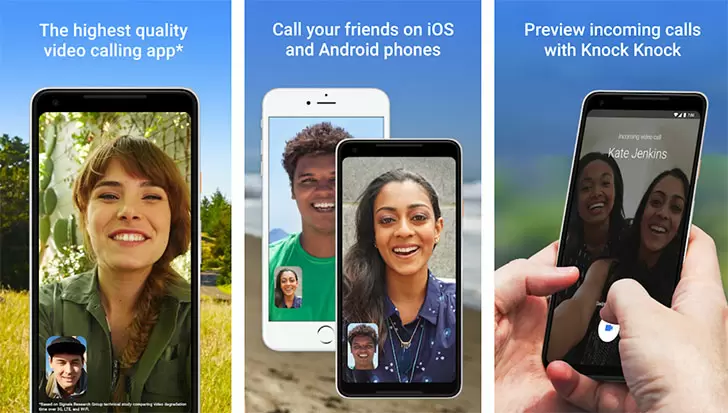
Google Meet is Google's premium video conferencing solution, seamlessly integrated into the Android ecosystem to provide high-quality, secure, and reliable virtual communication for individuals, teams, and organizations. Whether you're connecting with colleagues across the globe, hosting a virtual classroom, or catching up with family and friends, Google Meet offers a polished, feature-rich experience that makes remote collaboration feel natural and productive. Built on the robust infrastructure of Google Cloud, the app ensures crisp audio, smooth video, and intelligent features that adapt to your needs—all with the trust and security that Google is known for. From one-on-one chats to large-scale webinars with up to 100 participants (or more with enterprise plans), Google Meet transforms your Android device into a powerful communication hub. Its deep integration with Google Workspace (formerly G Suite) means that scheduling, joining, and managing meetings is effortless, while real-time captions, screen sharing, and noise cancellation keep conversations clear and engaging. With a clean, intuitive interface designed for mobile-first use, Google Meet is the go-to app for anyone who wants to stay connected without the hassle.
Key Features
- High-Quality Video and Audio – Enjoy smooth, high-definition video calls even on slower connections, with adaptive bitrate technology that adjusts to network conditions. Google Meet uses advanced codecs and AI-driven enhancements to keep your conversations crystal clear.
- Real-Time Captions – Never miss a word with live, automatic captions powered by Google’s speech recognition. Perfect for accessibility, noisy environments, or when you need to review what was said. Captions appear in real-time and support multiple languages.
- Screen Sharing and Presentations – Share your entire screen or just a specific app window, making it easy to present slides, documents, or walk through a process. Participants can view in real time, and you can even annotate on shared content.
- Background Effects and Noise Cancellation – Customize your video background with blurred, subtle, or custom images to maintain privacy and professionalism. The built-in noise cancellation filters out unwanted background sounds like typing, barking, or street noise, allowing you to focus on the conversation.
- Google Workspace Integration – Seamlessly schedule meetings from Google Calendar, join with a single tap, and access meeting recordings, chat, and files from within the app. Works flawlessly with Gmail, Google Drive, and Google Docs.
- No Time Limits on Personal Calls – For standard users, one-on-one and group calls have no time limit (up to 24 hours for group calls), making it ideal for long brainstorming sessions, family reunions, or virtual hangouts without worrying about the clock.
- Security and Privacy – All calls are encrypted in transit, and Google Meet adheres to strict compliance standards (including HIPAA for healthcare). You can control who joins with meeting codes, waiting rooms, and host controls to mute, remove, or lock participants.
Why Choose Google Meet?
In a crowded market of video conferencing apps, Google Meet stands out because of its deep integration with the tools millions already use every day. If you rely on Gmail, Google Calendar, or Google Drive, Meet feels like a natural extension rather than a separate platform. You can start or join a meeting directly from your calendar event, and all your files and notes are just a tap away during the call. The app is designed to be incredibly easy to use—no confusing settings, no cluttered UI. On Android, it feels native, with smooth gestures and responsive controls. Another major advantage is the strong focus on accessibility and inclusivity. Real-time captions not only help those who are deaf or hard of hearing, but also benefit non-native speakers and people in loud environments. The noise cancellation feature, which uses machine learning, is a game-changer for remote workers in less-than-ideal settings. Moreover, Google Meet is constantly evolving, with regular updates that add new features like breakout rooms, polls, and Q&A for enterprise users, while still keeping the personal experience simple and fast. For businesses, Meet offers enterprise-grade security without sacrificing ease of use, making it a trustworthy choice for sensitive conversations.
How to Get Started with Google Meet
Getting started is as simple as downloading the app and signing in with your Google account. Once installed, you can immediately start a new meeting by tapping"New Meeting"– choose to get a shareable link, start an instant meeting, or schedule one for later. To join a meeting, just enter the meeting code or click the link from an invite. The app also supports direct dialing via phone numbers for audio-only participation, which is handy when you're on the go. For a better experience, grant the app necessary permissions for microphone, camera, and notifications. You can also configure your meeting settings, such as enabling captions, choosing a background effect, or setting up a breakout room for your organization. One tip: if you use Google Calendar, meetings are automatically created with a Google Meet link when you enable"Add video conferencing"in your event settings. This makes inviting participants and joining calls effortless. Additionally, explore the"Settings"menu to customize your notification preferences, manage blocked users, and adjust video quality based on your data plan.
Tips and Tricks for Better Meetings
To get the most out of Google Meet, try these practical tips. First, use the"Tile View"layout for group calls to see up to 49 participants simultaneously on desktop, but on mobile you can swipe to see more people. For better audio, always use headphones with a built-in microphone – it reduces echo and background noise significantly. If your internet connection is unstable, turn off your video temporarily to prioritize audio quality; you can still share your screen or present slides. Another helpful feature is the in-meeting chat, which can be used to share links, ask questions, or take notes without interrupting the speaker. For moderators, familiarize yourself with host controls like muting all participants, removing disruptive attendees, and locking the meeting once everyone has joined. If you're presenting, remember to select"Present a Chrome tab"(on desktop) to share only that tab instead of your entire screen – this prevents accidental exposure of other windows. Finally, for recurring meetings, create a single meeting link that doesn't expire, so you can send it once and reuse it every week. These small tweaks can make your Google Meet experience smoother, more professional, and more enjoyable.
Google Meet has rapidly become one of the most trusted video communication tools worldwide, and for good reason. It combines the reliability of Google’s infrastructure with a user-friendly design that works for everyone, from students to CEOs. Whether you're conducting business, teaching a class, or simply keeping in touch with loved ones, this app delivers a seamless, secure, and feature-rich experience right on your Android device. Download Google Meet today and transform the way you communicate—wherever you are, whoever you're with, Google Meet keeps you connected.