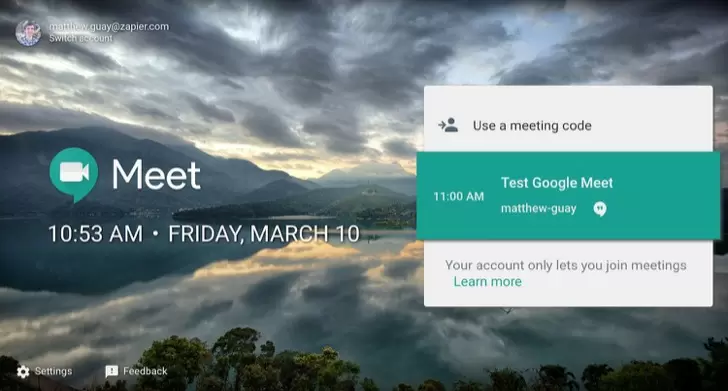
| Title | Google Meet (original) |
| Version | Varies with device |
| Price | Free |
| Category | Common |
| Package | com.google.android.apps.meetings |
In today’s fast-paced world, staying connected with colleagues, clients, friends, and family is more important than ever. Google Meet (original), developed by Google LLC, brings enterprise-grade video conferencing straight to your mobile device. Whether you’re leading a remote team, attending a virtual class, or catching up with loved ones, Google Meet provides a seamless, secure, and reliable platform for face-to-face communication. With its deep integration into the Google ecosystem, you can start or join meetings directly from Gmail, Calendar, or even a simple link. The app is optimized for mobile, ensuring crisp audio and high-quality video even on slower network connections. No downloads or plugins are required for participants – just a tap and you’re in. Google Meet is designed for businesses of all sizes but is equally accessible for personal use, offering robust features like live captions, screen sharing, and real-time whiteboarding. Whether you're working from home, commuting, or on the go, Google Meet keeps you in the loop with effortless collaboration tools. The app prioritizes privacy and security with encryption in transit and strong authentication measures, so your conversations stay confidential. With a clean, intuitive interface, Google Meet makes it easy to schedule, join, and manage meetings without any hassle. It supports up to 100 participants in the free version and up to 250 participants with Google Workspace subscriptions, making it a versatile choice for any scenario. From crisp HD video to adaptive audio that filters out background noise, Google Meet delivers a professional meeting experience right from your pocket. Discover how Google Meet can transform the way you communicate and collaborate, no matter where you are.
Key Features
- High-Quality Video and Audio: Enjoy smooth, real-time video calls with up to 1080p resolution (depending on device and network) and crystal-clear audio. The app dynamically adjusts to your internet speed to reduce lag and buffering, ensuring you never miss a word.
- Live Captions and Noise Cancellation: Google Meet provides automatic, real-time captions powered by Google’s speech recognition technology. This feature is incredibly helpful for accessibility, note-taking, or when you’re in a noisy environment. Additionally, the built-in noise cancellation suppresses background sounds like typing, traffic, or barking dogs, letting you focus on the conversation.
- Screen Sharing and Interactive Whiteboard: Present documents, spreadsheets, or presentations with a simple tap. You can share your entire screen or just a specific app. The integrated Jamboard whiteboard allows participants to brainstorm visually, draw diagrams, and add sticky notes in real time, making collaborative work feel natural.
- Seamless Google Workspace Integration: Schedule and join meetings directly from Google Calendar, Gmail, and Google Chat. Meeting links are automatically embedded into calendar invites, while Gmail shows a quick tile for upcoming meetings. This ecosystem integration streamlines your workflow and eliminates the need to switch between apps.
- Breakout Rooms and Polls: For educators and team leaders, Google Meet supports breakout rooms to split participants into smaller groups for focused discussion. You can also create live polls during meetings to gather feedback, conduct quizzes, or make decisions collectively—ideal for interactive workshops and large conferences.
- End-to-End Encryption and Security Controls: All data in transit between Google Meet participants is encrypted. The app also offers meeting locks, two-factor verification for hosts, and the ability to manage who can share their screen or send chat messages. Hosts can remove participants easily, and there’s a strict no-trespassing policy with automatic warnings for unauthorized access attempts.
- Cross-Platform Compatibility and Low-Data Mode: Google Meet works across Android, iOS, and web browsers—no app needed for guests. A dedicated low-data mode reduces bandwidth usage while maintaining call stability, making it a great choice for users with limited data plans or slower connections. The app also supports dial-in by phone for participants without smartphones or internet access.
Why Choose Google Meet
Google Meet stands out from other video conferencing apps because of its deep integration with the tools billions already use every day. If your workflow revolves around Google Workspace (formerly G Suite), Meet is the natural choice – no separate accounts, no extra logins. It's built for business but designed with simplicity in mind. The free tier offers generous limits, and the paid tiers unlock incredible features like recording meetings, larger participant capacity, and advanced security controls. Moreover, Google Meet is constantly updated by Google LLC, leveraging the company's expertise in AI and machine learning to improve background blur, noise suppression, and automatic lighting adjustments. The app also respects your privacy: Google does not sell your data, and meetings are not used for advertising purposes. For teams that need reliability at scale – from small startups to large enterprises – Google Meet has proven its worth with 99.9% uptime in Google Workspace. And because it's part of the Google ecosystem, you get seamless syncing across devices. Start a meeting on your phone, then switch to your laptop without dropping the call. The app also supports live streaming to thousands of viewers via Google Workspace, making it suitable for all-hands meetings, webinars, and virtual events. Ultimately, Google Meet delivers a professional, secure, and inclusive meeting experience that adapts to your needs, not the other way around.
How to Use Google Meet Effectively
Getting started with Google Meet is straightforward. Download the app from the Google Play Store, sign in with your Google account, and you’re ready to connect. To schedule a meeting, open Google Calendar or the Meet app and tap “New meeting” – you can choose to start an instant meeting or schedule one for later. Share the generated meeting link or invite code via email, chat, or any messaging platform. Guests can join from any browser or the app without needing a Google account (though signing in gives them more features). During a meeting, use the toolbar at the bottom to mute/unmute, turn your camera on/off, share your screen, send chat messages, or enable captions. Hosts can manage participants by clicking the people icon. For a more interactive session, use the “Activities” button to launch polls or breakout rooms. You can also record the meeting (if you’re on a paid plan) and the recording will be saved to Google Drive automatically. After the meeting, a summary with action items and a link to the recording can be sent to participants via Calendar. To get the best experience, make sure you have a stable internet connection, a quiet environment, and free storage on your device. The app also works well with Bluetooth headsets and external microphones. For organizations, admins can enforce security policies like requiring meeting passwords or restricting join access to only domain users. Google Meet also supports hardware compatibility with conference room systems, making it a complete solution for hybrid work environments.
Tips and Tricks for a Better Google Meet Experience
To make your meetings even more productive, try these pro tips. First, use the “tile view” option to see up to 49 participants at once – perfect for large team meetings where you want to monitor body language. Second, apply background effects to hide a messy room or add a professional backdrop. You can also blur your background entirely. Third, use keyboard shortcuts on your computer (like Ctrl+D to mute/unmute) and gestures on your phone (swipe to raise hand). Fourth, if you’re presenting, enable “presenter mode” which shows your webcam feed in a small window alongside your shared screen, making the presentation more personal. Fifth, for recurring meetings, set a permanent meeting link (known as a"nickname") so participants can join without needing a new link each time. Sixth, leverage the “live Q&A” feature during large streams to let viewers ask questions anonymously and upvote them. Seventh, combine Google Meet with Google Keep for note-taking – you can pin Keep notes to the side panel and share them with participants after the meeting. Finally, remember that you can transcribe the live captions and copy them to a document for meeting minutes. For mobile users, turn on “data saving” mode in settings to reduce data usage, and use the “picture-in-picture” mode to multitask while staying visible in the meeting. With these tips, you’ll not only become a power user but also inspire your team to get the most out of Google Meet.
In conclusion, Google Meet (original) is more than just a video calling app – it’s a comprehensive communication hub designed for modern business and personal connections. With its robust feature set, strong security, and effortless integration into the Google ecosystem, it empowers you to collaborate effectively from anywhere in the world. Whether you’re running a global enterprise or just want to see your family’s smiles, Google Meet delivers a dependable, high-quality experience that scales with your needs. Download Google Meet today from the Google Play Store and step into a more connected, productive future.