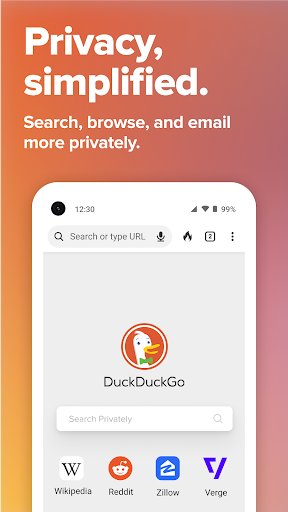
| Title | DuckDuckGo Privacy Browser |
| Version | 5.143.1 |
| Price | Free |
| Category | Common |
| Package | com.duckduckgo.mobile.android |
In an era where digital footprints are tracked, analyzed, and monetized without your consent, reclaiming your online privacy is no longer optional—it's essential. The DuckDuckGo Privacy Browser offers a straightforward, powerful solution to browse the web without being followed. Unlike conventional browsers that prioritize ad revenue over your personal data, DuckDuckGo is built from the ground up to block trackers, enforce encrypted connections, and give you a private search engine that doesn't log your queries. Whether you're checking the news, shopping online, or simply searching for information, this app ensures that what you do on the web stays between you and the sites you visit. With its clean interface, fast performance, and dedicated privacy features, DuckDuckGo Privacy Browser is the tool you need to take back control of your online life.
Key Features
- Automatic Tracker Blocking – The browser identifies and blocks hidden third-party trackers that follow you across sites, preventing advertisers and data brokers from building a profile of your browsing habits. You'll see a Privacy Grade for each website, showing exactly how many trackers were blocked and how secure your connection is.
- Private Search Engine – DuckDuckGo's own search engine does not track your searches or create a personal history. Every search is anonymous, so you get unbiased results without filter bubbles or targeted advertising.
- Encryption Enforcement – Whenever possible, the browser automatically upgrades your connection from HTTP to the more secure HTTPS, protecting your data from being intercepted on public Wi-Fi or other insecure networks.
- Fire Button – With a single tap, you can instantly wipe all tabs, browsing data, and cookies. This is perfect for quickly clearing your session without having to dive into settings—ideal for shared devices or when you want a clean slate.
- App Tracking Protection – Beyond just web browsing, this feature blocks third-party trackers in other apps installed on your device, preventing them from collecting data about your usage and habits. Available as an optional setting that works system-wide.
- Privacy Dashboard – Get a clear, real-time overview of trackers blocked, encrypted connections made, and sites visited. The dashboard provides actionable insights into how much privacy protection you're gaining every day.
- No User Profiles or Logins – Unlike many browsers that encourage you to create an account for syncing history or bookmarks, DuckDuckGo requires no sign-up. Your privacy isn't a feature locked behind a login—it's the default.
Why Choose DuckDuckGo Privacy Browser?
Most mainstream browsers are designed to collect your data—your search history, browsing patterns, location, and even the content you interact with. This data is then sold to advertisers or used to build detailed profiles. DuckDuckGo Privacy Browser flips that model entirely. It is built by a company whose mission is to prove that privacy can be the default, not a premium add-on. The browser is open-source, meaning its code is publicly auditable, and it has consistently been rated as one of the most private browsers for Android by independent security researchers. Plus, it's completely free—no ads, no hidden fees, and no subscription required.
Using DuckDuckGo also means escaping the filter bubble. Because your searches aren't personalized based on your history or demographics, you get the same results anyone else would see for the same query. This encourages a wider perspective and reduces the risk of being locked into a narrow information loop. And with its lightweight design, the browser runs smoothly even on older devices, so you don't have to sacrifice speed for security.
How to Use DuckDuckGo Privacy Browser
Getting started is as simple as downloading the app and making it your default browser. Once installed, you can immediately start browsing—all privacy protections are active by default. The address bar serves as both a search box and URL field, and every search automatically goes through DuckDuckGo's private search engine. Use the Fire Button (the flame icon) to clear everything instantly; tap and hold it for a second to see the"Clear Data"animation. For deeper protection, enable App Tracking Protection from the settings menu—this will use a local VPN on your device to block trackers in other apps without routing your traffic through an external server.
You can also customize your experience: toggle between light and dark themes, enable or disable the Privacy Dashboard badge, and choose to block all third-party trackers or allow some non-tracking automatic connections for website functionality. The browser supports bookmarks, tabs (up to an unlimited number), and a reading list. And because it's built on the WebView of your Android system, it gets security updates automatically through Google Play services.
Tips and Tricks for Maximum Privacy
To make the most of DuckDuckGo Privacy Browser, consider these practical tips. First, set it as your default browser in Android system settings so that links from other apps open in a private environment. Second, use the Fire Button regularly—not just when you're done browsing, but also between sessions to prevent any lingering cookies. Third, enable App Tracking Protection from the settings menu; once activated, you'll see a notification showing how many trackers it has blocked each day. Fourth, take advantage of the"Global Privacy Control"(GPC) setting, which automatically signals to websites that you do not want your data sold or shared—a feature supported by an increasing number of sites. Fifth, if you need to quickly compare prices or read reviews without leaving a trace, use the"Open in Private Tab"option (available via long-press on links) to avoid linking your searches to your main session.
Another useful tip: bookmark frequently visited privacy-friendly sites directly within the browser—your bookmarks remain private and are never synced to any cloud account. And if you encounter a site that breaks because of tracker blocking, you can temporarily disable tracking for that specific site by tapping the shield icon in the address bar and selecting"Allow all trackers on this site."This way, you only reduce privacy protections when absolutely necessary, rather than compromising permanently.
In a world where your personal data is constantly at risk, DuckDuckGo Privacy Browser offers a practical, everyday solution that doesn't demand technical expertise. It simply works, quietly and effectively, to block the trackers, encrypt your connections, and keep your searches anonymous. Whether you're a privacy enthusiast or just someone who wants a safer, cleaner browsing experience, this browser is a must-have tool for your Android device. Download it today and start browsing with the confidence that your privacy is finally built in, not bolted on.