| Title | Bose Connect |
| Version | 20.0 |
| Price | Free |
| Category | Common |
| Package | com.bose.monet |
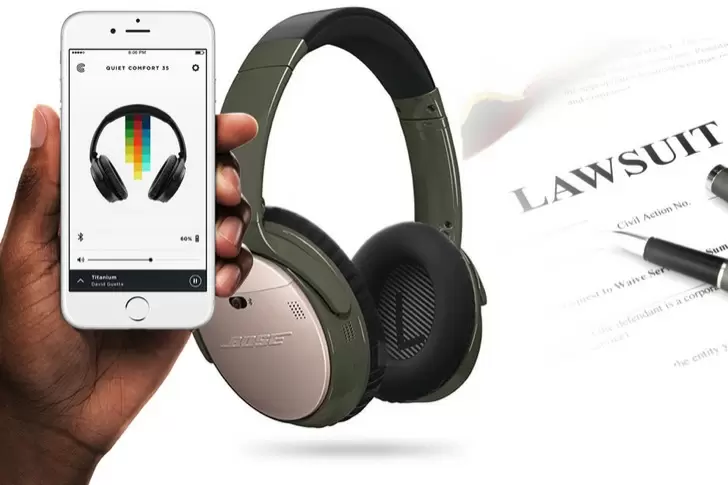
Bose Connect is the official companion app from Bose Corporation, designed to unlock the full potential of your Bose Bluetooth headphones, earbuds, and speakers. Whether you own the QuietComfort series, SoundLink family, or the latest Bose Sport earbuds, this app provides a seamless command center for managing connections, customizing sound profiles, and keeping your firmware up to date. With Bose Connect, you can effortlessly pair multiple devices, share your audio with a friend, and tailor every listening experience to your personal taste. The app transforms your Bose gear from a simple audio device into a smart, connected companion that adapts to your lifestyle—making it an essential tool for music lovers, podcast enthusiasts, and anyone who values high-quality wireless audio.
Key Features
- Easy device connection and management: Quickly pair your headphones, earbuds, or speakers with your Android device using a simple, intuitive interface. The app remembers your Bose products and allows you to switch between them without fumbling through Bluetooth settings.
- Multi-point and product switching: Connect your Bose device to two Bluetooth sources at once, such as your phone and tablet, and seamlessly switch between them. The app also lets you easily manage which device is active, ideal for taking calls while watching a video on another device.
- Firmware updates and product personalization: Keep your Bose audio products running at peak performance with automatic or manual firmware updates via the app. Personalize your device by naming it, adjusting auto-off timers, and accessing device-specific settings like conversation mode or EQ control.
- Party Mode and Stereo Mode: Sync two compatible Bose speakers for a truly expansive listening experience. With Party Mode, both speakers play the same audio for louder sound in a larger space. Switch to Stereo Mode for a left-right channel separation that delivers a more immersive soundstage.
- Share audio with friends: Using Bose SimpleSync, you can share your audio from one compatible speaker to another Bose headset or speaker. This feature is perfect for watching movies together without disturbing others, or for private listening while someone else enjoys ambient sound.
- Customizable settings and sound controls: Access detailed adjustments for your specific Bose model, including adjustable noise cancellation levels (on supported models), voice prompts language, and automatic volume optimization. Some products also offer a basic EQ for tailoring bass and treble.
- Quick access to voice assistants: Launch your preferred voice assistant—Google Assistant, Amazon Alexa, or Siri—directly from the Bose Connect app. Assign a custom button on your headphones or earbuds to trigger your assistant with a single press.
Why Choose Bose Connect
Bose Connect stands out because it’s built with the same attention to detail as the audio products it supports. Unlike generic Bluetooth managers, the app offers deep integration with Bose hardware, providing features that are simply not available through standard phone settings. For example, you can see the battery level of your earbuds and their charging case, adjust noise cancellation levels in real time, or enable a “quiet mode” for late‑night listening. The app also makes firmware updates easy, so your devices always have the latest sound enhancements and bug fixes without requiring a computer. Moreover, Bose Connect is designed with a clean, straightforward interface that prioritizes function over flash. Everything you need is just a tap or two away, from switching between multiple devices to sharing audio with friends. This simplicity, combined with powerful features, makes Bose Connect an indispensable tool for anyone who owns multiple Bose products.
Another reason to choose Bose Connect is its commitment to reliable wireless performance. Many users who connect their headphones or speakers directly via Bluetooth encounter issues like sudden disconnections, difficulty pairing, or confusion when switching between devices. Bose Connect eliminates these headaches by providing a centralized hub that manages Bluetooth connections intelligently. The app also gives you information about the signal strength and can help troubleshoot common problems. If you frequently move between your phone, tablet, and laptop, the multi-point connectivity option saves you from constantly going into your device’s Bluetooth menu. Instead, you can prioritize which source should be active, and the app takes care of the rest. This level of control is especially valuable for busy professionals or multitaskers who rely on their audio gear throughout the day.
How to Use
Getting started with Bose Connect is straightforward. First, ensure your Bose headphones, earbuds, or speaker is in pairing mode (usually by holding the Bluetooth button until the light flashes blue). Then, open the Bose Connect app on your Android phone. The app will automatically discover nearby Bose products; simply tap the one you want to connect. Once paired, you’ll see the main screen showing your device’s battery level, current volume, and a list of available settings. From here, you can rename the device, adjust noise cancellation (if supported), enable voice prompts, or update the firmware. To switch between multiple Bose products, swipe left or right on the app’s home screen, or tap the product icon at the top. If you want to share audio or use two speakers together, select the Party Mode or Stereo Mode option. For voice assistants, follow the in-app instructions to link your preferred assistant and assign it to a button on your headphones. The app also includes a tutorial for each specific product, so you can learn about unique features like touch controls or custom modes.
For advanced users, Bose Connect offers a few extra tricks. For example, you can set a default language for voice prompts, adjust the auto‑off timer to conserve battery when you forget to turn off your headphones, or enable a “Share My Music” feature that lets a friend connect their phone to your speaker and queue tracks. If you own multiple Bose speakers, you can create a multi-room audio experience by grouping them through the app (note: this requires compatible products like the SoundLink Revolve+ or Home Speaker series). The app also displays a quick help section with common questions and troubleshooting steps, so you rarely need to search online for answers. Overall, Bose Connect turns your phone into a powerful remote control for your entire Bose audio ecosystem, making it easy to get the most out of your investment.
Tips and Tricks
To get the best performance from Bose Connect, start by making sure your app is always up to date. Firmware updates for your headphones or speaker are often released through the app, bringing improvements to sound quality, battery life, and connectivity. Set a reminder to check for updates every month or enable automatic updates if your device supports it. Another tip is to use the app to rename your Bose devices with descriptive names like “Living Room Speaker” or “Work Headphones” so you can quickly identify them when switching. If you frequently share audio with others, try the Party Mode feature at social gatherings—it’s a crowd-pleaser and much simpler than trying to sync speakers manually. For those who enjoy listening to podcasts or audiobooks, consider enabling the “Conversation Mode” on supported QuietComfort headphones, which pauses your audio and lowers noise cancellation when you start speaking. This is perfect for quick chats without removing your headphones.
Battery management is another area where the app shines. You can see the exact battery percentage of your earbuds and their charging case, helping you avoid surprises. If you notice your device drains faster than expected, check the auto‑off timer setting in the app and adjust it to a shorter period, or turn off features like voice prompts that may consume extra power. Additionally, if you own both Bose headphones and a Bose speaker, use the app to set up SimpleSync: you can listen to the same audio from your phone on your headphones while the speaker plays for a room of people. This is great for watching movies late at night without disturbing anyone—the audio goes both wirelessly to your headphones and through the speaker at a lower volume. Finally, remember that the app’s EQ controls (available on some models like the Bose 700) are saved directly to the device, so your custom settings persist even when you connect to a different device. Experiment with the bass and treble sliders to find your perfect sound signature. With these tips, Bose Connect will become an indispensable part of your daily audio routine.
Bose Connect is more than just a simple pairing tool—it is the bridge between you and your Bose audio experience. By providing intuitive control, seamless multi-device management, and exclusive features like Party Mode and adjustable noise cancellation, the app ensures that your headphones, earbuds, or speakers work exactly the way you want. Download it today and discover how much more your Bose products can do.