Recommend Apps

Yuka - Food & cosmetic scan
Yuka – Food & Cosmetic Scan is a powerful, user‑friendly mobile application that empowers you to make healthier, more informed choices about the products you use every day. By simply scanning the barcode of any packaged food item or personal care product, Yuka instantly provides a clear, easy‑to‑understand rating out of 100, along with a detailed breakdown of why the product received that score. In a world where ingredient lists are often long and confusing, Yuka cuts through the complexity and gives you actionable insights in seconds. Whether you are checking a breakfast cereal for added sugars, a shampoo for potential irritants, or a yogurt for its nutritional balance, Yuka equips you with the knowledge to choose what is truly best for your body and your family. With its intuitive interface, regular updates, and an ever‑expanding database of millions of products, Yuka has become an essential tool for anyone who cares about clean eating, natural beauty, and overall wellness. It is not just an app – it is your personal nutritionist and ingredient checker, always in your pocket.Key FeaturesInstant Barcode Scanning: Quickly scan any product’s barcode using your phone’s camera. Yuka’s massive database covers millions of food and cosmetic items from both local and international brands, delivering ratings and detailed analysis in real time.Comprehensive Product Evaluation: Each product receives a score out of 100 based on three main criteria for food (nutritional quality, presence of additives, and organic or ethical labels) and two for cosmetics (ingredient health impact and environmental considerations). A color‑coded system (green, yellow, or red) makes it easy to see at a glance if a product is excellent, mediocre, or poor.Detailed Ingredient Breakdown: Beyond a simple score, Yuka explains exactly why a product scored the way it did. For food, it highlights specific additives (preservatives, flavor enhancers, dyes, etc.) and their potential health risks. For cosmetics, it flags controversial ingredients like parabens, sulfates, and synthetic fragrances, linking them to scientific studies.Personalized “Good” Product Recommendations: When a scanned item rates poorly, Yuka does not leave you stranded. It suggests better alternatives from the same category, often with higher nutritional value or cleaner ingredient lists. You can even filter recommendations by allergens, dietary preferences (vegan, gluten‑free, etc.), and brand.Extensive Search and Browse Capabilities: Do not have a barcode handy? Use the search bar to find any product by name. You can also browse entire categories, from dairy and snacks to shampoo and toothpaste, making it easy to compare options before you go shopping.Offline Mode & History: Scanned product data is stored locally on your device, so you can review your history even without an internet connection. This is perfect for checking past ratings while shopping in a store with weak signal.Regular Database Updates: Yuka’s team continuously adds new products and updates ingredient evaluations based on the latest scientific research, ensuring your advice remains current and reliable.Why Choose Yuka Over Other Health Apps?Many wellness apps claim to help you eat healthier, but Yuka stands out for its transparency, objectivity, and user‑focused design. Unlike apps that rely solely on general nutritional labels (like Nutri‑Score or traffic‑light systems), Yuka goes deeper by evaluating every single additive and potentially harmful ingredient against peer‑reviewed studies and official health agency reports (WHO, EFSA, FDA, etc.). The result is a nuanced, honest assessment that does not oversimplify or mislead. Moreover, Yuka does not sell your data or accept payments from brands to influence ratings – its only allegiance is to your health. This independence has earned it a loyal global community of millions of users who trust the app to guide their daily choices.Another major advantage is the dual‑focus on food and cosmetics. While many apps cover one category or the other, Yuka seamlessly integrates both. You can scan a bag of chips and immediately switch to scanning a moisturizer without changing tools. This unified approach saves time and gives you a holistic view of the products that enter your body and touch your skin. Additionally, the app’s clean, intuitive interface means you do not need a degree in nutrition to understand the results. Every rating is accompanied by a short, plain‑language explanation, and the recommended alternatives are presented in a simple, scannable list. For families, the ability to track your scanning history and share product evaluations with others makes Yuka a collaborative tool for better living.How to Use Yuka – Simple Steps to a Healthier LifestyleUsing Yuka is as straightforward as it is powerful. Begin by downloading the app from the Google Play Store (it is free with optional premium features). Once installed, open the app and grant camera permissions – no complicated account setup is required. Hold your phone’s camera over the barcode of any packaged food or cosmetic product. The app will automatically recognize the barcode, fetch the product from its database, and display the overall rating along with a detailed analysis within a couple of seconds.If a product scores poorly (red or yellow), scroll down to see the specific reasons – such as “contains sodium nitrate, a preservative linked to cancer risk in animal studies” or “contains high levels of sugar – 25g per 100g”. Below that, Yuka will show you a list of “good” alternatives, often from the same brand or store. You can tap on any alternative to see its full rating and compare both side by side. Use the search feature to look up products you plan to buy next, or browse categories to discover new, healthier options.For power users, Yuka also offers a premium subscription (Yuka Plus) that unlocks even more features: advanced ingredient filters (e.g., “no added sugars,” “no carrageenan”), personalized product lists, offline barcode scanning (the app automatically downloads the full product database), and priority customer support. However, even the free version is remarkably capable and sufficient for most daily use. Start integrating Yuka into your shopping routine – scan everything you consider buying, and over time you will naturally gravitate toward products that earn high scores, transforming your pantry and bathroom cabinet into a collection of genuinely good choices.Tips and Tricks to Get the Most Out of YukaTo maximize Yuka’s benefits, try these practical tips:1. Scan consistently: Make it a habit to scan every new product you bring into your home. Over a few weeks, you will build a personal database of what is and is not worth buying. Many users find they save money by avoiding overhyped but unhealthy items.2. Check alternatives before buying: If you are in a store and your preferred brand is not available, scan a few candidates to quickly find the best option. Yuka’s alternative suggestions often reveal hidden gems from lesser‑known brands.3. Use the search to plan ahead: Before your weekly grocery run, search for commonly used items like bread, milk, or snacks. Create a mental (or written) list of high‑scoring products to target.4. Share with family and friends: Yuka allows you to share product screens via social media or messaging apps. Use this to help others, or to create a shared family standard for what goes into the pantry.5. Understand the scoring system: For food, the overall score is roughly 60% nutritional quality (calories, sugars, saturated fat, salt, protein, fiber), 30% additives, and 10% organic/ethical labels. For cosmetics, 100% is based on ingredient safety (avoidance of endocrine disruptors, carcinogens, allergens, etc.). Knowing these weights helps you interpret the rating more intelligently.6. Combine with other healthy habits: While Yuka is excellent for packaged products, remember that whole, unprocessed foods (fruits, vegetables, grains, meats) rarely have barcodes. Use Yuka to improve the packaged items in your diet, but do not forget the foundation of a healthy, varied whole‑food diet.In conclusion, Yuka – Food & Cosmetic Scan is more than just a barcode scanner – it is a daily companion for anyone committed to making healthier, safer choices for themselves and their loved ones. With its transparent scoring, detailed ingredient analysis, and smart alternative suggestions, it takes the guesswork out of reading labels and puts the power back in your hands. Download Yuka today and start your journey toward a cleaner, more mindful lifestyle, one scan at a time.

GPS, Maps, Voice Navigation &
Whether you are a daily commuter, a cross‑country traveler, or simply someone who hates getting lost, GPS, Maps, Voice Navigation & Traffic is the all‑in‑one navigation companion you have been searching for. Developed by AppStar Studios, this application transforms your Android device into a reliable, feature‑rich navigation system that goes far beyond basic turn‑by‑turn directions. It combines real‑time traffic updates, crystal‑clear voice guidance, and an easy‑to‑use interface to help you reach any destination with confidence. No more squinting at tiny screens or fumbling with paper maps – this app puts a powerful, pocket‑sized GPS assistant right at your fingertips. From finding the fastest route during rush hour to discovering nearby points of interest, every journey becomes smoother, safer, and more enjoyable. The app is designed to work seamlessly both online and offline, ensuring that you stay on track even when connectivity is limited. With its smart route planning and constant traffic monitoring, you can avoid jams, road closures, and unnecessary detours, saving both time and fuel. Best of all, the voice navigation feature is clear, natural, and timely, allowing you to keep your eyes on the road while the app speaks each instruction aloud. Whether you are driving, walking, cycling, or using public transportation, GPS, Maps, Voice Navigation & Traffic adapts to your preferred mode of travel and provides accurate, up‑to‑date guidance. It is the ultimate tool for modern explorers who value efficiency, safety, and simplicity.Key Features Real‑Time GPS Tracking & Turn‑by‑Turn Directions – The app uses your device’s built‑in GPS to pinpoint your exact location and provide precise, step‑by‑step navigation. Every turn, intersection, and highway exit is announced clearly, so you never miss a maneuver. The map updates continuously as you move, keeping you aligned with your chosen route. Voice Guidance in Multiple Languages – A standout feature is the natural‑sounding voice navigation that speaks street names and instructions out loud. You can choose from a variety of voices and languages, making the app accessible to drivers and travelers from all over the world. The voice prompts are delivered at the perfect moment – not too early, not too late – so you can stay focused on driving. Live Traffic Updates & Smart Route Rerouting – Nobody likes sitting in unexpected traffic. That is why the app integrates live traffic data to show you congestion levels, accidents, roadworks, and delays in real time. If a faster alternative emerges, the app automatically recalculates your route, saving you precious minutes and reducing frustration during peak hours. Offline Maps & Navigation – Planning a trip through areas with weak or no cellular signal? No problem. You can download entire regions, states, or countries to your device and use the maps offline. The offline mode still provides full turn‑by‑turn directions and point‑of‑interest search, so you are never left stranded without guidance. Multi‑Mode Transportation Support – Whether you are behind the wheel, on a bicycle, walking, or relying on public transit, the app tailors the experience to your mode of travel. It shows bike lanes, walking paths, bus stops, and train stations, and calculates the most efficient route for each option. The interface automatically highlights the relevant details, such as speed limits for drivers or pedestrian shortcuts for walkers. Comprehensive Points of Interest (POI) Database – Need to find a gas station, restaurant, hotel, ATM, or hospital along the way? The built‑in POI search lets you discover thousands of places nearby or along your route. Each listing includes ratings, opening hours, contact information, and user reviews, making it easy to plan stops when needed. Speed Limit Alerts & Safe Driving Aids – Safety is a top priority. The app displays current speed limits on most roads and warns you if you exceed them. It also highlights sharp curves, school zones, and other potential hazards, helping you drive more responsibly and avoid tickets.Why Choose GPS, Maps, Voice Navigation & Traffic Over Other Navigation Apps?There are plenty of navigation apps on the market, but GPS, Maps, Voice Navigation & Traffic stands out because of its perfect balance between simplicity and power. Many free apps bombard you with ads or limit essential features behind paywalls; this app delivers a clean, ad‑light experience that focuses on what really matters – getting you safely from point A to point B. The data usage is optimized to be minimal, which means you won’t burn through your mobile plan even with live traffic enabled. AppStar Studios has also fine‑tuned the voice recognition engine to understand natural language queries, so you can say things like “find the nearest coffee shop” or “avoid toll roads” without typing a single word. The interface is intuitively designed, with large buttons and high‑contrast colors that are easy to read even in direct sunlight or while wearing polarized sunglasses. Regular updates ensure that the maps and traffic data remain accurate, and the community feature allows users to report incidents like road closures or speed traps, benefiting everyone. For those who value privacy, the app does not sell your location data – your routes and history stay on your device unless you choose to share them. All these thoughtful touches make this app a reliable choice for both daily drivers and long‑distance adventurers.How to Get the Most Out of the App: Tips and TricksTo truly maximize the potential of GPS, Maps, Voice Navigation & Traffic, take a moment to explore the settings menu before your first big trip. Start by downloading offline maps for areas you frequently visit or plan to travel through – this will save data and guarantee navigation even without a signal. You can download maps by country or by specific region, and they update automatically when you are connected to Wi‑Fi. Next, customize your voice preferences: choose a voice that sounds comfortable to you and adjust the volume separately from your music or podcast. The app supports a “mix” mode that keeps your audio playing while still delivering navigation prompts at the right moments. Another tip is to enable “alternative route previews” – when the app finds a faster route due to traffic, it shows you a side‑by‑side comparison of time and distance, letting you accept or ignore the change. If you are walking, remember to switch to pedestrian mode; the app will guide you through footpaths and pedestrian crossings that aren’t shown in driving mode. For cyclists, enabling the “bike lane preference” can lead you to safer, quieter roads. Finally, make use of the “favorites” feature to save your home, work, and frequently visited locations. You can then start navigation with a single tap, no typing required. With these simple adjustments, you will turn a great navigation app into an indispensable travel partner.In a world where time is precious and every minute counts, having a navigation app that works intelligently, adapts to your style, and never lets you down is not just a convenience – it is a necessity. GPS, Maps, Voice Navigation & Traffic from AppStar Studios delivers exactly that. Its robust feature set, from real‑time traffic rerouting to offline capabilities and multi‑mode support, ensures that you are always one step ahead of the road. Whether you are navigating a familiar city commute or embarking on an epic road trip across the country, this app provides the confidence and clarity you need. Download it today and experience a smarter way to reach every destination – with your eyes on the road and your mind at ease.

JPay
JPay is a specialized financial application designed to simplify and secure the process of sending money and staying connected with incarcerated loved ones. Developed by Jpay Mobile, this app serves as a comprehensive platform for managing commissary deposits, phone call credits, and other financial needs within the corrections system. By bridging the gap between families and incarcerated individuals, JPay offers a reliable, user-friendly, and efficient solution that eliminates the complexities traditionally associated with these transactions. Whether you need to add funds to an inmate's account, purchase video visitations, or send messages, JPay streamlines the entire experience directly from your mobile device. With a focus on security, speed, and accessibility, this app has become a trusted tool for thousands of families across the United States. Its intuitive interface and robust backend support ensure that every transaction is processed smoothly, giving users peace of mind during a challenging time. By leveraging modern financial technology, JPay transforms a historically cumbersome process into a seamless digital experience.Key Features Secure Money Transfers: Send funds directly to an inmate's commissary or trust account with bank‑level encryption. Every transaction is protected by advanced security protocols, ensuring your personal and financial data remains confidential. The app supports multiple funding sources, including debit cards, credit cards, and direct bank transfers, providing flexibility while maintaining high safety standards. Inmate Account Management: Easily view balances, transaction history, and account activity for each inmate you support. This feature allows you to monitor how funds are used, track when money is deposited, and set up recurring transfers to simplify regular support. The interface presents clear, organized data so you can stay informed without confusion. Phone Credits & Communication Services: Add telephone credits to an inmate's phone account, enabling them to make calls to approved contacts. JPay also offers eMessaging and video visitation options, allowing families to stay connected beyond simple financial support. This holistic approach to communication helps maintain vital relationships during incarceration. Multi‑Account Support: Manage multiple inmate accounts from a single login. Whether you are supporting one family member or several loved ones in different facilities, the app lets you switch between accounts effortlessly. This saves time and reduces the hassle of maintaining separate logins or remembering multiple account numbers. Real‑Time Notifications: Receive instant updates when a transaction is completed, when funds are credited to an inmate's account, or when a deposit is pending. Push notifications keep you informed every step of the way, ensuring you never miss a crucial update. You can also set alerts for low balances or upcoming payment schedules. User‑Friendly Dashboard: The app features a clear, organized home screen that displays recent activity, quick‑access buttons for common tasks, and a help section. Navigation is intuitive, with large buttons and simple menus designed for users of all technical abilities. Even first‑time users can quickly learn how to send money or purchase services. Reliable Customer Support: Direct access to JPay's customer service team through in‑app chat, phone, or email. The support portal also includes a comprehensive FAQ section and troubleshooting guides. If any issue arises, help is just a tap away, ensuring uninterrupted service.Why Choose JPay?JPay stands out in the financial services space because it is built specifically for the unique challenges of supporting incarcerated individuals. Unlike generic payment apps, JPay integrates directly with correctional facility systems, ensuring that funds and services reach the intended recipient quickly and without administrative delays. The app's security infrastructure is designed to comply with both financial regulations and correctional facility requirements, offering an extra layer of trust. Moreover, JPay's commitment to user experience means that even complex processes—like setting up an initial transfer or verifying an inmate's ID—are broken down into clear, guided steps. The platform also supports multiple facilities across the country, making it a one‑stop solution regardless of where your loved one is incarcerated. By choosing JPay, you gain access to a dedicated ecosystem that understands the emotional and logistical difficulties families face, and provides the tools needed to stay connected without unnecessary stress.Another compelling reason to use JPay is the transparency it brings to inmate financial management. You can see exactly where your money goes—whether it is used for commissary items, phone time, or other services. This visibility helps families budget effectively and ensures that every dollar is accounted for. Additionally, JPay often offers lower fees compared to other transfer methods, and the app clearly displays any applicable charges before you confirm a transaction. This upfront honesty builds long‑term trust and makes JPay a financially sensible choice. The app is constantly updated to include new features and improvements based on user feedback, demonstrating a genuine commitment to serving its community.How to Use JPayGetting started with JPay is straightforward. First, download the app from the Google Play Store and create a free account using your email address and a secure password. You will need to provide some basic personal information and verify your identity—this is a standard process required for financial transactions. Once your account is active, you can search for the inmate you wish to support by entering their name, ID number, or the facility where they are housed. The app will display matching results, and you can select the correct individual to link to your account. After linking, you can choose the type of service you want to provide: sending money to commissary, adding phone credits, purchasing eMessages, or scheduling a video visit. The payment process is guided by clear prompts, and you will be asked to select your funding source (debit/credit card or bank account). After confirming the amount and any applicable fees, the transaction is processed, and you will receive a confirmation number. All of your past transactions and inmate profiles are saved in the app for easy future use.For those who need to send money regularly, JPay offers recurring payment options. You can set a schedule—daily, weekly, bi‑weekly, or monthly—and the app will automatically process the transfer on the chosen date. This feature is especially helpful for families who want to ensure their loved one always has access to essentials. Additionally, the app provides tutorials and tips within the help section, covering topics like how to avoid common mistakes, what to do if a transaction fails, and how to update payment methods. Customer support is available 24/7, so if you ever run into an issue, a real person can assist you. JPay also offers a web version, but the mobile app provides the convenience of doing everything from your phone, wherever you are.Tips and TricksTo maximize your experience with JPay, first ensure that your inmate's details are entered correctly—double‑check the ID number or facility name from official correspondence to avoid delays. Always review the fee schedule before finalizing a transaction; while JPay’s fees are competitive, knowing them upfront helps you plan. Take advantage of the notification settings to stay informed about your account activity; you can customize alerts for deposit confirmations, low balance warnings, and even when an inmate uses funds. If you support multiple inmates, group them under a single login and use the"favorites"feature to quickly access the most frequently used accounts. When using eMessaging, be mindful of facility‑specific rules about message content and length—JPay provides guidance on compliance. Also, consider setting up recurring transfers for commissary deposits if your loved one has a consistent need; this saves time and ensures they never go without essential items. Finally, always keep the app updated to benefit from security patches and new functionality. By following these simple tips, you can make your JPay experience smoother, more affordable, and more meaningful.JPay is more than just a finance app; it is a vital link between families and incarcerated individuals. It empowers users to provide consistent support, maintain communication, and demonstrate care even when physical presence is not possible. With its emphasis on security, ease of use, and customer‑centric design, JPay has earned its reputation as the go‑to solution for correctional financial services. Whether you are a first‑time user or a seasoned supporter, this app equips you with the tools you need to make a positive impact on your loved one's life during a difficult period. Download JPay today and experience a reliable, compassionate way to stay connected.

Fitbit
Fitbit is more than just a step counter; it’s your comprehensive health and fitness companion that transforms the way you understand your body. Whether you own a Fitbit smartwatch, tracker, or simply use the app’s built-in tools, this powerful platform collects, analyzes, and presents your daily activity, sleep patterns, heart rate, nutrition, and much more in one seamless dashboard. Designed to motivate and guide you toward your wellness goals, the app syncs effortlessly with a wide range of Fitbit devices and also works with your phone’s sensors to track movement, steps, and even workouts. From setting personalized step goals to monitoring your resting heart rate and sleep quality, Fitbit turns raw data into actionable insights. It also connects you with a global community of like-minded individuals through challenges and social features, making fitness fun and social. Whether you’re a beginner looking to move more or an athlete fine-tuning performance, this app offers the tools, coaching, and encouragement you need to build healthier habits that stick.Key FeaturesAll-Day Activity Tracking – Automatically record steps, distance, calories burned, active minutes, and daily goals. The app displays your progress at a glance with colorful charts and trend graphs, helping you stay accountable throughout the day.Sleep Monitoring & Smart Wake – Gain deep insights into your sleep cycles (light, deep, REM) with detailed sleep stages and a Sleep Score. The app also offers a silent alarm that wakes you gently during your lightest sleep phase within your set window.Continuous Heart Rate Tracking – 24/7 heart rate monitoring lets you see your resting heart rate trends, heart rate zones during workouts, and even detect potential changes in your cardiac health. The Fitbit app also calculates your cardio fitness score based on your VO₂ Max estimate.Personalized Goal Setting & Guided Programs – Choose from customizable step goals, weight loss targets, or workout preferences. The app offers structured programs like “Getting Started with Running” or “Mindful Eating” that adapt to your pace and provide daily guidance.Food Logging & Hydration Tracker – Keep track of everything you eat and drink using a barcode scanner, meal photos, or manual entry. The app then estimates calories and nutrients, helping you balance your intake with your activity.Social Challenges & Community – Participate in weekly step challenges with friends, join global Adventure challenges that take you through virtual routes, and share achievements. The social feed keeps you inspired and connected.Stress Management & Mindfulness Tools – Use the app’s guided breathing sessions, stress score, and mood logging features to manage daily pressures. The Relax feature guides you through short breathing exercises based on your heart rate.Why Choose Fitbit?Fitbit stands out in the crowded health app market because of its deep integration with hardware and its focus on long-term behavior change. Unlike generic pedometer apps, Fitbit leverages data from your own device (or phone sensors) to deliver personalized insights that are scientifically backed. The app’s sleep analysis, for example, uses accelerometer and heart rate data to distinguish between sleep stages, giving you a clearer picture than basic motion detection. Its heart rate tracking is accurate enough for zone-based training, yet comfortable for all-day wear. Moreover, Fitbit’s vast library of guided workouts, from yoga to high-intensity interval training, can be followed directly on your wrist or phone, no gym required.Another major advantage is the supportive community. You can join teams, participate in challenges like “Weekend Warrior” or “Daily Showdown,” and celebrate each other’s wins. The app also provides educational articles and video tips from health experts, covering topics like better sleep habits, balanced nutrition, and staying motivated. Plus, the premium tier unlocks advanced analytics, personalized insights, and deeper health metrics (like skin temperature variation and SpO₂ estimations), but the free version already offers a robust set of features that many users find sufficient for reaching their goals.Fitbit is also designed with privacy in mind. Your data is encrypted and you control what you share. The app clearly explains how your information is used, and you can opt out of data-sharing features at any time. This transparency builds trust, especially when you’re logging sensitive health data.How to Get the Most Out of the Fitbit AppTo truly maximize the app’s potential, start by setting up your profile completely. Enter your age, height, weight, and gender so the calorie and distance estimates are accurate. Next, connect your Fitbit device or enable phone tracking – the app works even without a device, though a wearable enhances accuracy, especially for heart rate and sleep. Then, set a daily step goal that challenges without overwhelming; 10,000 steps is a great start, but you can adjust upward as your fitness improves.Make use of the “Today” tab as your command center: check your step progress, log meals, view your heart rate zones, and review your sleep score each morning. Tap the “Discover” tab to explore guided programs, workout videos, and recipes. For accountability, invite friends to join a challenge or share your daily progress on social media directly from the app. Don’t forget to enable notifications: reminders to move, celebrate milestones, and alerts for incoming calls or messages keep you engaged even when the app is closed.For advanced users, experiment with the custom goal options. You can create specific targets for floors climbed, active zone minutes, or water intake. Use the “Insights” feature to see how factors like sleep or stress impact your activity trends. If you’re training for an event, the app’s exercise tracking supports dozens of workout types, from cycling and swimming to Pilates and martial arts, with real-time stats and post-workout summaries. Remember to sync your device regularly (the app syncs automatically in the background) to keep your dashboard current.Tips and Tricks for Better ResultsTo get the most accurate heart rate data, wear your Fitbit device a finger’s width above your wrist bone, and clean the sensor occasionally. For sleep tracking, ensure the app has permission to access your phone’s “Do Not Disturb” mode and set a consistent bedtime schedule – the app will learn your sleep trends over time. Use the “Smart Wake” feature for alarms: it wakes you during your lightest sleep phase within a 30-minute window, so you feel more refreshed. Also, leverage the batch logging for food: if you eat the same meals often, save them as favorites to speed up logging.Take advantage of the “Weight” tracking function by logging your weight weekly at the same time of day for consistent trends. The app automatically calculates your BMI and shows your progress on a graph. If you hit a plateau, revisit your calorie goal – the app adjusts based on your activity level, but you can manually tweak it. Finally, don’t ignore the “Mindfulness” section: just two minutes of guided breathing can lower your stress level and improve your focus. Combine these small habits to create a holistic wellness routine that keeps you motivated for the long haul.Ready to take control of your health? Download Fitbit today and join millions of users already experiencing the power of data-driven wellness. Whether you aim to lose weight, sleep better, or simply move more, the Fitbit app provides the tools, community, and insights to make every step count. Start your journey now – your healthier self is just a tap away.

BBC Sounds: Radio & Podcasts
BBC Sounds is your all-access pass to the incredible audio universe of the British Broadcasting Corporation. More than just a radio app, it brings together live radio stations, thousands of on-demand programs, curated podcasts, music mixes, and audio documentaries – all in one seamless experience. Whether you're a devoted fan of BBC Radio 1, Radio 2, Radio 4, or Radio 6 Music, or you're looking for deep-dive podcasts on history, science, arts, and comedy, BBC Sounds serves as your personal audio companion. The app intelligently learns your tastes, recommends new shows, and lets you build a custom listening queue that follows you across devices. With offline downloads, sleep timers, and a beautifully simple interface, BBC Sounds transforms your commute, workout, or downtime into a journey of rich, diverse audio.Key Features Live Radio Streaming – Tune in to more than 40 BBC radio stations live, including national stations like BBC Radio 1, 2, 3, 4, 5 Live, and the world-famous BBC World Service. You can also access local and regional stations to stay connected with your area. On-Demand Catch-Up – Missed a show? No problem. BBC Sounds lets you listen to hundreds of thousands of past episodes from the last 30 days (and many older archive gems). Pause, rewind, and continue from where you left off. Curated Podcasts & Playlists – Dive into an ever-growing library of original BBC podcasts covering everything from true crime to philosophy. Plus, enjoy expertly crafted music mixes and themed playlists that adapt to your mood. Personalized Recommendations – The app learns your listening habits to suggest new shows, episodes, and collections you’ll love. Your “For You” feed becomes smarter the more you listen. Offline Downloads – Download your favorite episodes, podcasts, and music mixes over Wi-Fi to listen later without using mobile data. Perfect for planes, trains, or areas with patchy connectivity. Sleep Timer & Background Play – Set a sleep timer to automatically stop playback after a set duration. Continue listening in the background while using other apps, with minimal battery drain. Multi-Device Syncing – Your listening progress, downloads, and queue sync seamlessly across your phone, tablet, and even your computer via the BBC Sounds web player. Pick up right where you left off.Why Choose BBC Sounds?BBC Sounds stands apart from other audio apps because it is built around the ethos of public service broadcasting: quality, trust, and discovery. Unlike algorithmic playlists that trap you in a bubble, BBC Sounds exposes you to a wide range of voices, topics, and genres – from in-depth news analysis on Radio 4’s “Today” program to uplifting dance mixes on Radio 1’s “Essential Mix.” Every piece of content is curated by expert editors, ensuring you get not just entertainment, but also education and inspiration. The app is ad-free for UK users, and even internationally, you can access a generous amount of content free of charge (some live sports and music may be georestricted). The interface is clean, intuitive, and designed for long listening sessions – no clutter, no distractions.Another compelling reason to choose BBC Sounds is its integration with the BBC’s wider ecosystem. You can listen to the same program across your smart speaker, TV, or car via Apple CarPlay and Android Auto. The app also supports Chromecast, allowing you to stream audio to your home speakers. For families, there’s a dedicated CBeebies and CBBC section with safe, age-appropriate content for children. And if you’re a music lover, the “Music” tab offers hundreds of mixes and live sessions from festivals like Glastonbury, Reading, and the Proms. BBC Sounds is truly a one-stop shop for anyone who values intelligent, varied, and entertaining audio.How to Use BBC SoundsGetting started is as simple as downloading the app and creating a free BBC account. If you already have a BBC ID (for BBC iPlayer or BBC News), you can sign in directly. Once inside, you’ll land on the “Home” tab, which shows a mix of live stations, trending podcasts, and recommendations based on your interests. You can tap on any station to start live listening, or browse the “Podcasts” and “Music” tabs to find something on demand.To build a personalized listening queue, simply tap the “+” icon on any episode or track – it will be added to your “My List” area. You can reorder items, mark them as played, or remove them. For offline listening, tap the download button (a downward arrow) on any episode or mix; downloads appear in a separate “Downloads” tab. The app also lets you search by keyword, genre, or presenter, making it easy to rediscover old favorites like “Desert Island Discs” or “The Archers.”Advanced features include the ability to adjust playback speed (0.5x to 2x), set a sleep timer from the player screen, and enable “Skip Silence” for podcasts to automatically trim quiet pauses. If you use a smart assistant like Alexa or Google Assistant, you can link your BBC Sounds account to play stations or podcasts via voice commands. The experience is designed to be frictionless – just press play and let BBC Sounds enrich your day.Tips and Tricks for a Better ExperienceTo truly master BBC Sounds, here are a few insider tips. First, always connect to Wi-Fi when downloading large collections – you can set the app to download only over Wi-Fi in the settings to avoid data charges. Second, explore the “Trending” and “New & Noteworthy” sections regularly; the BBC frequently releases limited series and seasonal content that disappears after a few weeks. Third, if you’re a podcast binge-lister, use the “Mark as Played” feature to keep your queue tidy. Fourth, enable notifications for your favorite shows so you never miss a new episode. Fifth, try the “Sleep Timer” for bedtime – it not only saves battery but also ensures you don’t miss the ending of a gripping documentary. Finally, don’t forget to rate and review episodes – your feedback helps the BBC Sounds team improve recommendations for everyone.Whether you’re commuting, cooking, exercising, or relaxing, BBC Sounds is the perfect audio companion. It combines the trust and quality of the BBC with the convenience of modern app design. With thousands of hours of content at your fingertips, you’ll never run out of things to listen to. Download BBC Sounds today and start exploring a world of sound that informs, entertains, and inspires.

YouTube TV: Live TV & more
In a world where cord-cutting has become the norm, finding a streaming service that delivers live television without sacrificing convenience, variety, or reliability can be a challenge. YouTube TV: Live TV & more, developed by Google LLC, answers that call with a comprehensive live TV streaming platform that brings over 100 channels right to your Android device. Whether you’re a sports fanatic, a news junkie, or a family looking for a flexible alternative to cable, YouTube TV offers a robust lineup that includes major broadcast networks, popular cable channels, and premium add-ons — all accessible from your phone, tablet, or TV via Chromecast. The service is built around a cloud DVR with unlimited storage, meaning you never have to worry about missing your favorite shows, games, or live events again. With an intuitive interface, personalized recommendations, and the ability to stream on up to three devices simultaneously, YouTube TV transforms your mobile device into a powerful entertainment hub. This isn’t just another streaming app; it’s a complete replacement for traditional cable, designed for the way we watch TV today.Key FeaturesExtensive Live Channel Lineup – Access over 100 channels including local ABC, CBS, FOX, NBC, and cable favorites like ESPN, CNN, HGTV, FX, and many more. You get the most popular networks for news, sports, entertainment, and family programming right at your fingertips.Unlimited Cloud DVR – Record as many shows and movies as you want with no storage limits. Your recordings are stored for up to nine months, and you can fast-forward through commercials. It’s the ultimate in catch-up convenience.Six Accounts per Household – Share your subscription with up to six family members, each with their own personalized DVR library, recommendations, and watch history. Everyone gets their own experience under one plan.Simultaneous Streaming – Watch on up to three different devices at the same time. No more fighting over the TV – everyone can stream their own content on their preferred screen.Content Library with Thousands of Titles – Beyond live TV, enjoy a growing on-demand library of shows and movies from networks like AMC, TNT, and more. It’s a perfect complement to the live service.Premium Add-Ons – Enhance your subscription with optional channels such as HBO Max, Showtime, Starz, and NBA League Pass. You can add or remove these at any time without long-term contracts.Seamless Integration with YouTube – The app is deeply integrated with the main YouTube platform, allowing you to switch seamlessly between live TV and your favorite YouTube channels, all within a single interface.Why Choose YouTube TV?YouTube TV stands out in the crowded streaming market because it combines the breadth of traditional cable with the flexibility of modern digital services. Unlike many competitors that offer limited DVR capacity or restrict concurrent streams, YouTube TV gives you unlimited cloud recording and three simultaneous streams right from the start. This makes it an ideal choice for families with diverse tastes – kids can watch cartoons in one room while parents catch up on live news or a sports game in another. The user interface is clean and intuitive, prioritizing live content while also surfacing on-demand options. You can browse by genre, search for specific shows, or use the “Top Picks for You” section to discover new favorites based on your viewing history.Another major advantage is the absence of hidden fees. What you see is what you pay: no equipment rental charges, no installation costs, and no long-term contracts. You can cancel or change your plan at any time. This transparency, combined with the ability to record unlimited content, means you’ll never miss a moment of live television – whether it’s a breaking news event, a championship game, or a season finale. The service also works seamlessly across devices: start watching on your phone during your commute, then continue on your TV at home with Chromecast or a smart TV app. And with dedicated apps for Android tablets and Android TV, the experience is consistent and polished.How to Get StartedGetting started with YouTube TV is simple and takes just a few minutes. First, download the YouTube TV app from the Google Play Store on your Android device. Open the app and tap “Try it free” – you’ll be prompted to sign in with your Google account. The service offers a free trial period (typically 7 days) so you can explore the full channel lineup and features risk-free. After signing up, choose your base plan (the standard subscription includes over 100 channels) and optionally add any premium networks you desire. The app will then guide you through setting up your personalized experience, including selecting your favorite shows and sports teams for tailored recommendations. You can start watching live TV immediately, set up recordings for upcoming programs, or browse the on-demand library. For the best experience, ensure your internet connection is stable – YouTube TV recommends a minimum of 3 Mbps for standard definition and at least 8 Mbps for HD streaming. You can also adjust video quality in settings to manage data usage on mobile networks.Tips and Tricks for Power UsersTo make the most of YouTube TV, take advantage of the DVR features fully. Even if you only plan to watch live, it’s a good idea to record shows you might enjoy – recordings are accessible for nine months, and you can skip ads. Use the “Library” tab to organize your recordings by shows, movies, sports, and events. You can also create a “Watchlist” to mark shows you want to catch up on later. For sports fans, the app lets you follow specific teams or leagues; you’ll receive notifications when games are about to start and can easily add them to your DVR. Another handy tip: use the “Search” function to find actors, directors, or keywords – the results include both live and on-demand content from your subscriptions and add-ons. Finally, don’t forget that YouTube TV supports voice commands on Android TV and Google Home devices, so you can change channels, search for content, or control playback hands-free. And if you ever travel outside your home area, YouTube TV allows temporary location changes for watching local channels while you’re away – a feature that frequent travelers will appreciate.In an era of endless streaming choices, YouTube TV delivers a balanced, feature-rich solution that respects your time and money. With its massive channel selection, unlimited DVR, and multi-user support, it’s designed to replace cable without the headaches. The app’s clean design and Google’s reliable infrastructure ensure a smooth experience whether you’re catching a live game, following breaking news, or binging a new series. If you’re ready to cut the cord without sacrificing quality or convenience, download YouTube TV: Live TV & more today and take control of your live television experience. Your next favorite show is just a tap away.
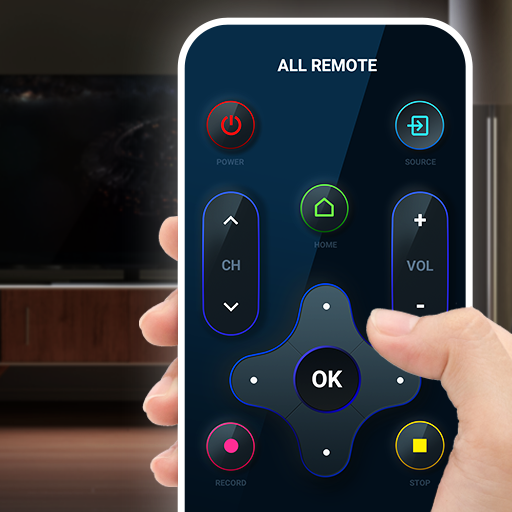
Universal TV Remote Control
Imagine never scrambling for a lost TV remote again, or juggling multiple remotes for different devices. The Universal TV Remote Control app, developed by TV Master - Smart TV Remote Control, transforms your Android smartphone into a powerful, all-in-one remote that works with a vast array of television brands and models. Whether you have a modern smart TV or an older infrared-based set, this app provides a convenient solution to control your viewing experience directly from your phone. No more searching under couch cushions or buying expensive universal remotes – your phone does it all. The app leverages your device’s built-in infrared (IR) blaster (if available) or connects via Wi-Fi or Bluetooth to compatible smart TVs, offering a seamless and responsive control interface. With an intuitive layout that mimics traditional remote controls, Universal TV Remote Control makes channel surfing, volume adjustments, and input switching effortless. It is designed to be the last remote you will ever need, consolidating control of your television into a single, always-accessible app. Whether you are at home, in a hotel room, or visiting a friend, this app turns your smartphone into the ultimate household helper for entertainment.Key FeaturesBroad Compatibility: Universal TV Remote Control supports a wide range of television brands including Samsung, LG, Sony, Panasonic, TCL, Vizio, Philips, Sharp, Hisense, and many others. Whether your TV uses IR, Wi-Fi, or Bluetooth, the app adapts to your specific model.Multi-Connection Options: Depending on your phone’s hardware, the app can send commands via IR blaster (for older TVs) or through network connections (for smart TVs). This flexibility ensures you can control virtually any television, even without an IR port on your phone.Simple Setup Process: No complicated pairing codes or lengthy tutorials. Just open the app, select your TV brand from the list, and choose your model from the database. In seconds, you are ready to control your television.Complete Remote Functions: The app provides all the essential buttons you expect – power on/off, volume up/down, channel up/down, mute, numeric keypad for direct channel entry, input selector, and directional navigation for smart TV menus.Customizable User Interface: Adjust the layout to match your preferences. You can resize buttons, change the theme color, or add shortcuts for your most-used functions. The interface is designed to be intuitive and accessible for all ages.Favorites and Presets: Save your go-to channels as favorites for instant access. Create custom presets for different times of the day or for different family members, making it easy to jump to your preferred content without scrolling.Support for Additional Devices: Some versions of the app also allow you to control set-top boxes, streaming devices, and even soundbars, turning your phone into a true universal home entertainment control center.Why Choose Universal TV Remote ControlIn a world where every device seems to come with its own remote, clutter and confusion are inevitable. This app eliminates that chaos by putting control of your primary entertainment device right into your pocket. One of the most compelling reasons to choose Universal TV Remote Control is its convenience – you always have your phone with you, so you never have to worry about a dead remote battery or a lost controller. Additionally, the app is constantly updated by the developer to add new TV models and features, ensuring long-term compatibility and performance.Another advantage is the cost savings. Instead of purchasing separate universal remotes that can be expensive and limited, this app is a free (or low-cost) solution that uses existing smartphone hardware. For phones with an IR blaster, no extra accessories are required; for others, a simple network connection to a smart TV suffices. The app also provides a cleaner interface than many physical remotes, with larger buttons and an easy-to-read screen that can be particularly helpful for users with visual impairments.Finally, the Universal TV Remote Control app respects your privacy. It does not require unnecessary permissions and operates entirely offline when using IR commands. When network control is used, data transmission is minimal and focused only on sending remote commands securely. This makes it a safe and reliable choice for your home.How to Use Universal TV Remote ControlGetting started with the app is straightforward. First, download and install Universal TV Remote Control from the Google Play Store onto your Android device. Open the app, and you will be greeted by a simple walkthrough. Choose your television brand from a comprehensive list (e.g., Samsung, Sony, LG). The app will then prompt you to test a few basic commands – power, volume, and channel – to ensure the connection works. If your phone has an IR blaster, simply point it at the TV. For smart TVs, ensure your phone is connected to the same Wi-Fi network, then follow the on-screen pairing instructions (often a PIN code displayed on the TV). Once paired, the app saves your configuration, so you can resume controlling instantly next time.After setup, you will see a familiar remote control layout. Tap the power button to turn your TV on or off. Use the volume and channel rockers to make adjustments. For more advanced functions, swipe to access additional screens – maybe a number pad, input buttons, or a settings menu. Many users find the directional pad (D-pad) particularly useful for navigating smart TV interfaces such as Netflix, YouTube, or the TV’s own streaming hub. If you ever need to control a different TV (e.g., in another room or at a friend’s house), simply switch the device profile from the app’s settings menu.Tips and Tricks for a Better ExperienceTo get the most out of Universal TV Remote Control, consider these practical tips. First, if your phone lacks an IR blaster, ensure your smart TV supports network remote control protocols (most modern ones do). You can check your TV’s user manual for “Remote over Wi-Fi” or “IP Control” options. Second, create separate profiles for each TV you use regularly – for example, a profile for the living room and another for the bedroom. This allows you to switch between devices without re-pairing each time.Another helpful trick is to use the “Favorites” feature to store your most-watched channels. Instead of scrolling through dozens of channels, you can jump directly to your preferred news, sports, or movie channels with one tap. If you have a sound system connected to your TV, check whether the app can control the volume via HDMI-CEC or IR – many universal remotes can learn commands from the original remote, though this app typically comes pre-loaded with codes for most devices. Finally, keep the app updated to access the latest TV model codes and performance improvements. If you encounter a TV that is not listed, you can often learn the remote via the “Manual Setup” option, which lets you test codes until one works.Universal TV Remote Control transforms your smartphone into a powerful and convenient household tool. By consolidating control of your television into a single, easy-to-use interface, it saves you time, money, and frustration. Whether you are tired of lost remotes, want to simplify your living room, or just need a backup controller, this app delivers reliability and ease. Download Universal TV Remote Control today and take command of your entertainment – literally at your fingertips. Experience the future of remote control where your phone does it all.

Design Space: DIY with Cricut
Design Space: DIY with Cricut is the official companion app for Cricut smart cutting machines, turning your Android device into a powerful creative studio. Whether you are a seasoned crafter or a complete beginner, this app unlocks a world of do-it-yourself projects that blend digital design with physical making. From custom t-shirts and personalized home décor to intricate paper crafts and vinyl decals, Design Space provides a seamless way to design, customize, and send projects to your Cricut machine. The app connects directly to Cricut Explore, Cricut Maker, and Cricut Joy machines via Bluetooth, offering a true mobile-first experience that lets you craft anywhere inspiration strikes. By eliminating the need for a desktop computer for many tasks, Design Space brings the entire Cricut ecosystem to your fingertips. You can browse thousands of ready-made projects, purchase or upload your own images and fonts, adjust sizes and materials, and control cuts, draws, or scores from your phone or tablet. The interface is intuitive yet powerful, built specifically for touch interaction, so you can drag, resize, and rotate elements with ease. With built-in tutorials, community projects, and a thriving library of designs, the app is not just a tool—it is a gateway to endless creative possibilities. Whether you want to make a birthday banner in five minutes or engineer a complex layered paper sculpture, Design Space helps you turn your vision into a tangible creation with precision and speed.Key FeaturesDesign & Edit On the Go – Create custom projects directly on your Android device. Add text, shapes, images, and uploaded photos. Use the touch interface to resize, rotate, layer, and align elements with snap-to-grid precision. No desktop required.Vast Content Library – Access over 200,000 images, thousands of ready-to-make projects, and hundreds of fonts. Browse by category, theme, or material. Download free designs or purchase premium ones from the Cricut Design Space Marketplace.Seamless Bluetooth Connection – Wirelessly send your designs to Cricut Explore, Maker, or Joy machines. No cables, no transferring files. The app shows real-time machine status, material settings, and cut previews so you can start crafting immediately.Smart Material Settings – Choose from a wide range of materials including cardstock, vinyl, iron-on, leather, fabric, balsa wood, and more. The app automatically adjusts cut pressure, blade type, and speed for optimal results. Create custom material presets for specialty supplies.Upload Your Own Artwork – Import SVG, PNG, JPG, GIF, and DXF files from your device’s gallery or cloud storage. Use the built-in trace tool to convert photos into cuttable shapes. Remove backgrounds, add layers, and prep your designs for cutting.Project Tutorials & Inspiration – Learn new techniques with step-by-step guided projects. Watch videos, read tips, and see material lists. Save your favorite tutorials and share finished projects with the Cricut community directly from the app.Offline Mode – Download projects, images, and fonts to your device so you can design and cut even without an internet connection. Perfect for craft fairs, workshops, or traveling.Why Choose Design Space Over Other Crafting AppsDesign Space stands out because it is built specifically for Cricut machines, meaning every feature from the interface to the cut algorithms is optimized for how these smart cutters actually work. Competing apps often treat mobile design as a second thought, but Cricut has invested heavily in making the touch experience as fluid as a desktop version. The app also integrates deeply with Cricut’s hardware ecosystem—when you change material type, the machine adjusts its cutting behavior instantly. Another major advantage is the depth of the community and design library. While other apps offer a handful of templates, Design Space provides professional-quality artwork from independent designers, licensed brands like Disney, Marvel, and Star Wars, and a social feed where you can see what other crafters are making. The app also supports multiple machines and multiple users; you can switch between your Cricut Maker and Cricut Joy without reconfiguring anything. For anyone serious about die-cutting, vinyl application, or fabric crafting, the official Cricut app is the only tool that delivers a truly seamless mobile-to-machine experience.How to Use Design Space: A Quick Start GuideGetting started is straightforward. First, download the app from the Google Play Store and create or sign into your Cricut ID. If you already own a Cricut machine, ensure it is powered on and within Bluetooth range. The app will guide you through pairing in seconds. Once connected, you can either select a ready-made project from the ‘Projects’ tab or tap ‘New Project’ to start from scratch. The canvas area fills your screen—tap the image library button to browse thousands of free and paid images, or tap the text tool to add custom text with your choice of font. To upload your own design, use the ‘Upload’ button and choose from your device folders. After you arrange your design, tap ‘Make It’. The app will ask you to confirm material type, mirror settings (for iron-on), and how many copies. Then hit ‘Confirm’ and your Cricut machine will start cutting. You can monitor progress on the app and even pause or cancel the job. For more complex projects, the app includes a ‘Layers’ panel that lets you hide, unlock, or change the operation (cut, draw, score, or foil) for each element. Experiment with attaching, welding, or slicing shapes to create custom designs beyond simple layouts.Tips and Tricks for Getting the Most Out of the AppTo maximize your crafting experience, keep a few things in mind. First, always check the ‘Materials’ settings before cutting. Even a small mismatch in pressure can result in tearing or incomplete cuts. Use the custom material option to fine-tune for unique substrates like holographic vinyl or thick felt. Second, take advantage of the ‘Preview’ function—it shows exactly where your design will land on the mat, so you can reposition it to avoid waste. Third, if you are working with iron-on (HTV), remember to mirror your design manually in the ‘Make It’ screen—the app does prompt you, but it is easy to forget. Fourth, explore the ‘Design Space Community’ tab; you can filter projects by material, machine, or difficulty, and save them directly to your account. Many users share free SVG files there. Fifth, use the ‘Download’ feature for large projects you plan to cut at a later time or in a location with spotty internet. The app also lets you create ‘Collections’—folders to organize your designs by holiday, recipient, or craft type. Finally, if you encounter issues, the app has a built-in ‘Help’ section with troubleshooting articles and a chat bot that can resolve many common Bluetooth or cut errors. Regular updates add new features like foil transfer support and collaborative project sharing, so keep your app updated.Closing ThoughtsDesign Space: DIY with Cricut has transformed the way millions of people approach crafting. By putting the full power of Cricut’s design ecosystem into your pocket, the app removes barriers between inspiration and creation. Whether you are making custom gifts for friends, decorating your home, or starting a small Etsy shop, this app equips you with professional-grade design tools without the learning curve of traditional software. The combination of a vast content library, intuitive mobile editing, and seamless machine integration makes it the indispensable partner for any Cricut owner. If you have ever wanted to turn your smartphone into a design studio that talks directly to a cutting machine, Design Space is the only app you need. Download it today and discover just how much you can create from the palm of your hand.

ShopRite
ShopRite is the official mobile companion for one of the largest and most trusted grocery cooperatives on the East Coast. Developed by Wakefern, the app is designed to streamline your shopping experience, helping you save time and money every time you visit a ShopRite store. Whether you're planning your weekly menu, clipping digital coupons, or scanning barcodes for exclusive deals, ShopRite puts the power of smart shopping right in your pocket. With a simple, intuitive interface and seamless integration with your local store's inventory and promotions, the app transforms a routine grocery run into an organized, efficient, and cost-effective trip. No more forgotten items or missed savings—ShopRite brings everything you need to the palm of your hand.Key FeaturesDigital Coupon Clipping – Browse hundreds of exclusive digital offers and load them directly to your Price Plus® club card. Simply “clip” the deals you want, and the savings are automatically applied at checkout when you enter your phone number or scan your loyalty card.Personalized Shopping Lists – Create and manage multiple shopping lists that are synced across devices. Add items manually, scan barcodes, or import recipes from the app’s built-in recipe library. Each list can be organized by aisle or category to make your trip faster.Weekly Circular & Ad Previews – Access the latest ShopRite weekly circular before you even leave home. Browse sale items, compare unit prices, and plan your meals around the best deals available at your local store.Checkout-Ready Cart – Build your cart in the app and use it as a digital shopping companion while you walk the aisles. The cart feature shows real-time pricing and lets you mark items as found, so you never double back for something you missed.Store Locator & Hours – Find the closest ShopRite store, view its hours of operation, and get turn-by-turn directions. Each store’s page also lists available services like pharmacy, deli, sushi bar, and online ordering options.Recipe Hub – Discover thousands of curated recipes sorted by meal type, dietary preference, cook time, and ingredients. Each recipe includes a one-tap “Add to Shopping List” button that automatically populates your list with all necessary ingredients with estimated quantities.Price Check & Unit Pricing – Instantly scan any product barcode in the store to view its price, unit price, product details, and any applicable digital coupons. This feature helps you make informed comparisons between brands and sizes.Why Choose ShopRite for Your Grocery ShoppingShopRite has been a household name for decades, known for its community focus and commitment to value. The app builds on that legacy by offering a digital tool that respects your time and budget. Unlike generic grocery apps, ShopRite is tailored specifically to Wakefern’s network of over 300 independently owned stores. This means the offers, inventory, and pricing you see are always accurate for your neighborhood location. The integration with the Price Plus® loyalty program is seamless—no need to carry a physical card or remember a separate login. Every coupon you clip is automatically applied when you pay, and you can even view your digital savings history to track how much you’ve saved over time.Another major advantage is the app’s ability to bridge the gap between online planning and in-store execution. You can build your list at home, check the circular on your commute, and then use the app as your guide while shopping. The barcode scanner is especially useful for comparing store brands versus national brands, helping you spot the best unit price without doing mental math. For families managing multiple dietary needs, the recipe hub offers filters for gluten-free, vegan, dairy-free, and other common restrictions, making meal planning simpler and more inclusive.How to Get the Most Out of the ShopRite AppStart by downloading the app and signing in with your Price Plus® account—or create one for free if you don’t have one yet. Linking your loyalty card is the most important step because all digital coupons, personalized offers, and in-app messages are tied to that account. Once you’re set up, spend a few minutes browsing the “My Offers” tab. The app learns your shopping habits over time and will display deals on products you buy most often. Make it a habit to check the weekly circular every Thursday (when new ads usually drop) and clip any deals that interest you. You can set up your shopping list in the app either by typing items manually or by using the “Scan to Add” feature—simply point your camera at product barcodes at home (like your pantry staples) to quickly populate a restocking list.One advanced tip: use the app’s “My List” feature to organize your shopping trips by department. For example, you can create separate lists for “Produce,” “Dairy,” “Frozen,” and “Pantry.” When you’re in the store, open the appropriate list and check off items as you go. This method dramatically reduces backtracking and impulse buys. Another time‑saving trick is to enable notifications. You’ll get alerts when a digital coupon for a favorite product is about to expire, when a new weekly circular is available, and even when a store‑specific flash sale goes live. Over time, the app’s AI will recommend recipes based on items you’ve purchased, helping you reduce food waste by using up ingredients you already have.Seamless Integration with Store ServicesThe ShopRite app goes beyond just grocery lists and coupons. It also connects you with additional services offered at many ShopRite locations. You can refill prescriptions at the pharmacy, order custom cakes from the bakery, or even place a catered platter order for a party—all from the app. Some stores support online ordering for curbside pickup or same‑day delivery through third‑party partners. While not all locations offer the same services, the app’s store locator clearly indicates what’s available at your chosen store. If you’re a fan of ShopRite’s store‑brand products (Bowl & Basket, Wholesome Pantry, etc.), the app often features exclusive digital coupons for those items that aren’t available anywhere else. Additionally, the app lets you create a “Favorites” list of products you buy regularly, so you never run out of essentials like milk, eggs, or bread.For customers who love meal planning, the recipe hub is a hidden gem. You can search by ingredient (“What can I make with chicken and broccoli?”) or by meal type (quick dinners, slow cooker meals, healthy lunches). Each recipe includes a nutrition label and step‑by‑step instructions. The “Add to List” button automatically calculates the quantity needed based on the number of servings you select. This feature alone can save you from buying a whole bag of carrots when you only need two. Over time, the app will also suggest “Frequently Bought Together” bundles for recipes, encouraging you to plan a full week of meals that overlap ingredients, reducing waste and lowering your grocery bill.In a world where every minute counts and every dollar matters, the ShopRite app is more than just a digital companion—it’s a strategic tool for smarter, faster grocery shopping. By combining the convenience of digital coupons with the practicality of a real‑time shopping list, it helps you stick to your budget while ensuring you never forget the key ingredients for tonight’s dinner. Download ShopRite today and experience the difference that a truly integrated grocery app can make. Your pantry—and your wallet—will thank you.

HBO Max: Stream TV & Movies
HBO Max: Stream TV & Movies is your ultimate destination for premium entertainment, bringing together the vast libraries of HBO, Warner Bros., DC, Studio Ghibli, Cartoon Network, and many more iconic brands into one seamless streaming experience. Whether you crave blockbuster movies, binge-worthy TV series, exclusive Max Originals, or classic cartoons, this app delivers an ever‑expanding universe of content directly to your mobile device, tablet, or TV. With intuitive navigation, personalized recommendations, and offline viewing capabilities, HBO Max transforms any moment into a cinema‑grade escape. Discover new releases, revisit timeless favorites, and explore curated collections tailored to your mood—all without the clutter of ads (on the ad‑free plan). From dramatic epics to laugh‑out‑loud comedies, thought‑provoking documentaries to animated adventures, HBO Max is the all‑in‑one streaming service that grows with your taste.Key FeaturesVast Content Library: Access thousands of titles spanning HBO classics (like The Sopranos, Game of Thrones), blockbuster franchises (DC Universe, Harry Potter, Lord of the Rings), Studio Ghibli masterpieces, Warner Bros. movies, Cartoon Network favorites, and new Max Originals—all in one place.Exclusive Max Originals: Stream groundbreaking series and films produced exclusively for HBO Max, including Station Eleven, Hacks, Peacemaker, and more. Fresh episodes debut weekly, so you're always first in line for the next water‑cooler conversation.Personalized User Profiles: Create up to five individual profiles per account, each with its own watch history, continue‑watching lists, and content recommendations. Kids get a safe, age‑appropriate environment with parental controls.Download for Offline Viewing: Save your favorite movies and episodes directly to your device and watch them later without an internet connection—ideal for travel, commutes, or areas with spotty connectivity.Multi‑Device Streaming: Enjoy simultaneous streaming on up to three screens, so everyone can watch their own show at the same time. The app works seamlessly across phones, tablets, computers, smart TVs, and game consoles.High‑Quality Playback: Experience select titles in stunning 4K Ultra HD with HDR10 and Dolby Vision, paired with immersive Dolby Atmos audio—turning your living room into a private theater.Curated Collections & New Releases: Browse hand‑picked themed collections (e.g., “Behind the Laughter,” “Women Who Rock,” “Anime Central”) and a dedicated section for the latest releases, so you never miss what’s hot.Why Choose HBO Max?In a crowded streaming landscape, HBO Max stands out by offering a single subscription that unlocks both legendary HBO hits and an enormous rotating catalog from WarnerMedia’s powerhouse of studios. You won’t need to juggle multiple services to enjoy everything from HBO’s award‑winning dramas to Warner Bros.’ latest blockbuster premieres—it’s all here. The app also prioritizes personalization: its smart recommendation engine learns your preferences and surfaces hidden gems you might otherwise overlook. Parents appreciate the robust kids’ hub with content from Cartoon Network, Sesame Workshop, and Warner Bros. Animation, while anime fans gain exclusive access to Studio Ghibli’s entire collection—a rare treat on any platform. And with the option to download up to 30 titles per device, you’re never left without entertainment, even offline. Whether you’re a dedicated cinephile, a casual binge‑watcher, or a family looking for everyone’s favorites under one roof, HBO Max delivers exceptional value and endless variety.How to Get the Most Out of HBO MaxStarting your streaming journey is as simple as downloading the app and signing up for a free trial (where available). Once your subscription is active, take a few minutes to set up individual profiles for each family member—this ensures everyone gets personalized suggestions and a tidy “Continue Watching” row. Don’t forget to explore the “Collections” tab; HBO Max’s curators regularly create thematic playlists that make discovering new content effortless. For example, “This Month’s Hit Movies” or “Emmy‑Winning Dramas” can save you from endless scrolling. To maximize your offline experience, download a few episodes before a flight or road trip—just tap the download icon next to any supported title. For the best visual quality, make sure your device and internet connection support 4K HDR; you can adjust streaming resolution in the app settings to match your data plan. Finally, set your watchlist by tapping the “+” icon on any title—the app will alert you when new episodes or related content become available. With these simple tips, you’ll transform HBO Max from a simple streaming app into your personal entertainment command center.Tips for a Seamless Streaming ExperienceTo enjoy smooth, buffer‑free playback, connect to a stable Wi‑Fi network when streaming high‑definition or 4K content. If you’re using mobile data, you can restrict streaming to “Data Saver” mode in the app’s playback settings to reduce consumption. Keep your app updated to the latest version—automatic updates ensure you receive new features, performance improvements, and bug fixes. If you share an account with others, avoid conflicts by agreeing on a maximum simultaneous stream count (up to three). For interrupted viewing, the “Resume” option lets you pick up exactly where you left off, even across different devices. And if you ever feel overwhelmed by choices, the “Continue Watching” row and “My List” feature are your quickest pathways to familiar favorites. HBO Max is designed to be intuitive, but investing a few minutes in these tweaks will elevate your overall experience from good to extraordinary.In a world where entertainment options are endless, HBO Max cuts through the noise by delivering quality, variety, and convenience in one polished app. Whether you’re settling in for a movie night, catching up on a Max Original between meetings, or keeping the kids busy on a long car ride, this app puts the best of WarnerMedia’s universe at your fingertips. Download HBO Max today and unlock a treasure trove of stories waiting to be discovered. Your next favorite series or film is just a tap away—start streaming and let the journey begin.

Microsoft Teams
In today’s fast-paced digital workplace, seamless communication and collaboration are no longer optional — they are essential. Microsoft Teams, developed by Microsoft Corporation, has emerged as the definitive hub for teamwork, bringing together chat, video meetings, file storage, and app integration into a single, unified platform. Whether you are managing a small startup or coordinating across a multinational enterprise, Microsoft Teams empowers your organization to stay connected, productive, and agile — no matter where your team members are located.At its core, Microsoft Teams is designed to streamline the way people work. It replaces disjointed email threads, scattered file shares, and multiple communication apps with a centralized workspace. With deep integration into Microsoft 365 (formerly Office 365), Teams leverages the power of Word, Excel, PowerPoint, SharePoint, and OneDrive to create a cohesive ecosystem. The app is available on Android, so you can take your entire hub with you on your mobile device. From instant messaging to full-fledged video conferences, Microsoft Teams provides the tools you need to collaborate in real time, reduce context switching, and accelerate decision-making.As remote and hybrid work models become the norm, the demand for reliable, secure, and feature-rich collaboration tools has skyrocketed. Microsoft Teams meets this demand with enterprise-grade security, compliance, and administrative controls, while also offering a user-friendly interface that any team member can adopt quickly. The mobile app brings the full desktop experience to your pocket, ensuring that you never miss an important update or a critical discussion, even when you are away from your desk. Whether you are checking in on a project channel, responding to a chat, or joining a live meeting from a coffee shop, Microsoft Teams keeps your workflow uninterrupted.Key FeaturesUnified Communication Hub: Replace multiple apps with one platform. Teams brings together persistent chat, audio calls, video meetings, and file sharing, all accessible from one intuitive interface. You can switch between private chats, group conversations, and channel discussions without losing context.High-Quality Video and Audio Meetings: Host or join meetings with up to 300 participants (and up to 10,000 with Live Events). Enjoy crisp audio, HD video, background blur, and screen sharing that make virtual meetings almost as productive as in-person ones. The mobile app supports seamless transitions from chat to meeting with a single tap.Deep Microsoft 365 Integration: Work directly within Teams on Word documents, Excel spreadsheets, and PowerPoint presentations. Co-author files in real time, share them via OneDrive, and access SharePoint document libraries without leaving the app. All your favorite Office tools are just a click away.Team Channels and Tabs: Organize your work into channels dedicated to specific projects, topics, or departments. Use tabs to pin important files, apps, or webpages directly inside a channel, making it easy for everyone to find and access what they need.Enterprise-Grade Security and Compliance: Microsoft Teams is built on the Microsoft 365 security framework, offering data encryption at rest and in transit, multi-factor authentication, and compliance with industry standards such as HIPAA, GDPR, and ISO 27001. Your business data remains protected.Powerful Search and Notifications: Find messages, files, and people instantly with cross-platform search. Customize notifications so you stay informed about priority conversations without being overwhelmed. The mobile app supports rich notifications, allowing you to reply or take action directly from the notification drawer.Extensible Platform with Apps and Bots: Enhance your workflow by adding third-party apps and custom bots. Integrate tools like Trello, Asana, Salesforce, or ServiceNow directly into Teams. Build your own bots using the Microsoft Bot Framework to automate routine tasks and improve efficiency.Why Choose Microsoft Teams?Microsoft Teams stands out in the crowded collaboration market because it is not just another messaging app — it is an entire workspace. Unlike standalone tools that force you to juggle between chat, email, and file storage, Teams consolidates everything into a single, searchable, and persistent environment. This reduces the cognitive load on employees and minimizes the time wasted switching between applications. For organizations already invested in the Microsoft ecosystem, Teams seamlessly extends the value of Office 365, Azure Active Directory, and other Microsoft services. But even if you are using other platforms, Teams offers open APIs and connectors to bridge the gap.Another powerful reason to choose Microsoft Teams is its scalability. From a team of five to an enterprise with thousands of users, Teams adapts. The mobile app is optimized for both phones and tablets, providing a consistent experience across devices. You can participate in meetings, view shared screens, and edit files collaboratively — all from your Android device. The app also includes offline capabilities, so you can draft messages and even edit documents without an internet connection; your changes sync automatically when you reconnect. This flexibility is crucial for field workers, consultants, and anyone who needs to stay productive on the go.Moreover, Microsoft continuously innovates its collaboration tools. Regular updates bring new features such as Together Mode (which uses AI to place meeting participants in a shared virtual space), breakout rooms, custom backgrounds, and live captions. These features are designed to make virtual interactions more engaging and inclusive. The mobile app benefits from many of these advancements, ensuring that mobile-first users are not left behind. With Microsoft Teams, you are not just adopting a product — you are joining a platform that evolves with the future of work.Tips and Tricks for Better CollaborationTo get the most out of Microsoft Teams on your Android device, start by organizing your teams and channels thoughtfully. Use the mobile app to pin your most frequently used channels and chats at the top of the list for quick access. Swipe right on a chat or channel to access options like mute, mark as read, or set custom notifications. This helps you focus on what matters most without getting distracted by less important conversations.Leverage the power of tags and @mentions to direct messages to specific individuals or groups. When you need to get someone’s attention urgently, type @ followed by their name. For a whole team or role, create custom tags (like “@Managers” or “@Developers”) so you can notify the right people with a single mention. The mobile app also supports quick replies and emojis, but to maintain professionalism in business communication, use the formatting toolbar to bold, italicize, or bullet your messages when appropriate.Make the most of the meeting experience on your phone. Before joining a video meeting, test your audio and video by tapping your profile picture and selecting “Devices.” Use background effects to blur your surroundings or replace them with a professional image — this is especially useful when joining from a busy location. When screen sharing from a mobile device, you can choose to share your entire screen or a specific app, making it easy to walk colleagues through a document or presentation. For longer meetings, consider using landscape orientation and enabling call merging if you need to combine calls from your carrier and Teams.Finally, integrate your daily workflows. Connect your calendar to Teams so you can see upcoming meetings and join them with one tap. Use the mobile app to approve documents, respond to Shifts schedules, or chat with a colleague while reviewing a PowerPoint slide. By setting up notifications intelligently — turning off alerts for channels that are not critical — you can maintain a healthy work-life balance while staying productive. Remember that the Teams mobile app is designed to complement, not replace, your desktop experience; use it for quick check-ins, urgent updates, and on-the-move collaboration.In conclusion, Microsoft Teams is more than a communication tool — it is the nerve center of modern teamwork. By bringing together messaging, meetings, files, and apps in a secure and scalable environment, it enables organizations to work smarter, faster, and more inclusively. The Android app puts this power directly in your pocket, ensuring that you can stay connected and productive wherever your work takes you. Whether you are leading a global project or simply trying to coordinate with a few colleagues, Microsoft Teams provides the foundation for effective collaboration. Download Microsoft Teams today and experience the future of business communication.

Android Auto
Driving is one of the most demanding tasks we perform daily, and staying connected without compromising safety is a challenge every modern driver faces. Android Auto, developed by Google LLC, is designed to bridge that gap effortlessly. This official app transforms your car’s infotainment display into a smart, simplified extension of your Android smartphone. Instead of fumbling with your phone while on the road, Android Auto projects a clean, driver-friendly interface onto your vehicle’s screen or a compatible aftermarket head unit. It gives you instant access to essential apps for navigation, communication, music, and more — all optimized for minimal distraction. Whether you’re commuting to work, embarking on a road trip, or running errands, Android Auto helps you stay focused on the road while still using the services you rely on. The app leverages Google’s powerful ecosystem, including Google Maps for real-time traffic guidance, Google Assistant for hands-free voice commands, and a growing library of third-party apps that are designed to work safely in the car. With Android Auto, your phone stays safely stowed away, and your driving experience becomes smarter, safer, and more enjoyable. Key Features Google Maps Navigation with Real-Time Traffic – Android Auto brings the full power of Google Maps to your car’s display. You get turn-by-turn directions, automatic rerouting based on live traffic conditions, lane guidance, and even suggested departure times based on predicted traffic. The interface is large and clear, so a quick glance is all you need to stay on track. You can also search for nearby gas stations, restaurants, or points of interest without ever touching your phone. Hands-Free Calls, Messages, and Google Assistant – The app integrates deeply with Google Assistant, allowing you to make calls, send texts, and hear incoming messages entirely by voice. Say “Call Mom” or “Text John that I’m running five minutes late,” and Android Auto handles the rest. Replies are read out loud, and you can reply with a quick voice message or choose from suggested responses. This keeps your eyes on the road and your hands on the wheel. Seamless Music and Podcast Streaming – Enjoy your favorite tunes without distraction. Android Auto supports popular apps like Spotify, YouTube Music, Apple Music, Amazon Music, Pocket Casts, and many more. The interface shows large album art, pause/skip buttons, and a simple playlist view. You can browse through your library using voice commands or the touch screen — but the layout is designed to avoid complex menus while you're driving. Voice Control for Third-Party Apps – Beyond Google’s own apps, Android Auto extends voice control to compatible third-party apps for messaging, audiobooks, news, and parking. For example, you can ask WhatsApp to send a message, use Audible to resume a book, or tell Waze to navigate to a stored location. The app ecosystem is constantly expanding, and developers are encouraged to build “car-optimized” experiences. Wide Compatibility with Car Models and Aftermarket Units – Android Auto works with hundreds of car models from major manufacturers including Toyota, Honda, Ford, Chevrolet, Kia, Hyundai, BMW, Mercedes-Benz, and more. If your car doesn’t have built-in support, you can install an aftermarket stereo from brands like Kenwood, Pioneer, Sony, or JBL. The app also supports wireless Android Auto on select head units and phones running Android 11 or higher, though a wired USB connection remains the most reliable method. Driver-Focused Interface with Adaptive Brightness – The entire interface is built for at-a-glance use. Buttons and fonts are large, contrast is high, and the color scheme resembles Android’s dark mode to reduce glare at night. The app automatically adjusts between day and night themes based on your car’s ambient light sensor. Common tasks like changing a song, accepting a call, or checking an ETA require only one or two taps, and the home screen shows your next turn, current call status, and now-playing all in one view. Smart Notifications and Do Not Disturb Integration – Android Auto filters notifications so only essential alerts appear — and even those are summarized. Incoming messages can be read aloud automatically, and you can set the app to activate your phone’s “Do Not Disturb” mode when driving, silencing all non-critical notifications. This helps you avoid the temptation to glance at your phone while keeping you informed about important updates. Why Choose Android Auto Android Auto isn’t just another app — it’s a dedicated driving companion that prioritizes safety without sacrificing functionality. Unlike generic phone mounts or clunky car operating systems, Android Auto is designed from the ground up for in-car use. The interface is simple and consistent across all compatible cars, so you never have to learn a new layout when you drive a different vehicle. Because it’s developed by Google, the app receives regular updates with new features, improved voice recognition, and bug fixes — meaning your driving technology keeps getting better over time. The app also integrates seamlessly with your existing Android settings, including your contacts, calendar, and preferred navigation history. If you already use Google Maps, Google Assistant, and Google Play Music or YouTube Music, the transition to using them in your car feels completely natural. Moreover, Android Auto is completely free. There are no subscription fees or hidden charges; all you need is an Android phone running Android 8.0 (Oreo) or higher and a compatible vehicle or receiver. The app respects your privacy as well — location data is handled in accordance with Google’s privacy policies, and you can control exactly what information is shared. Another reason to choose Android Auto is the sheer breadth of supported apps. The Google Assistant has become significantly smarter over the years, allowing you to carry out compound commands like"Navigate to the nearest gas station and then play my driving playlist."The app also works flawlessly with electric vehicles, showing nearby charging stations on the map and even integrating with automaker apps for battery status projections. Whether you drive a brand new EV or an older car with an aftermarket stereo, Android Auto brings modern connectivity to your dashboard. How to Use Android Auto Getting started with Android Auto is straightforward. First, ensure your phone is running Android 8.0 or newer and that you have the Android Auto app installed from the Google Play Store. Most modern cars with built-in support require only a USB cable — plug your phone into the car’s USB port, and the system should automatically launch Android Auto on the car’s screen. Some vehicles and phones (including Google Pixel and Samsung Galaxy models) support wireless Android Auto. To use it wirelessly, connect your phone to the car’s Bluetooth for initial setup, and then subsequent connections will happen over Wi-Fi. After the first connection, the app may display a tutorial on the car’s screen; follow the on-screen prompts to grant necessary permissions (like access to contacts, location, and notification access). You can then customize which apps appear on the home screen and set defaults for music and navigation. During use, you can interact with the interface via the car’s touchscreen, steering wheel controls, or voice commands via a dedicated button on the steering wheel or by saying"Ok Google."The app also works as a standalone interface on your phone screen if your car doesn’t have a display — though this is less common. For the best experience, always keep the Android Auto app updated and ensure your compatible car stereo has the latest firmware. Tips and Tricks for a Better Experience To get the most out of Android Auto, take a few minutes to customize the app launcher on your car’s screen. You can rearrange or hide apps that you don’t use often, keeping the interface clutter-free. Use the Google Assistant to its full potential: instead of tapping the screen while driving, say"Ok Google"followed by a command like"Navigate to work"or"Send a text to Sarah saying I’ll be there in ten minutes."You can even ask it to read the news, set a reminder, or control smart home devices — all without touching your phone. Another useful tip is to manage your notification preferences within the Android Auto settings on your phone. You can choose whether messages are read aloud automatically, or only when you ask. For frequent passengers, you can also set up a “Drive mode” that automatically activates when the car’s Bluetooth is detected. Finally, make sure your phone is running on a strong data connection; navigation and music streaming rely on mobile data, so consider downloading offline maps for areas with poor reception. With these simple tips, you’ll transform your daily drive into a safer, more productive, and more enjoyable experience. Android Auto is an essential tool for any driver who wants to stay connected without compromising safety. Its smart interface, powerful voice control, and deep integration with Google’s best services make it the gold standard for in-car smartphone projection. Whether you’re navigating unfamiliar streets, catching up on podcasts, or keeping in touch with family, Android Auto keeps your focus where it belongs — on the road. Download the app from Google Play today and turn your car into a smarter, safer space.

Wetherspoon
For anyone who enjoys a visit to a Wetherspoon pub, the official Wetherspoon app transforms the traditional pub experience into something far more convenient and streamlined. This free mobile application is designed to let you browse the full menu, place your order, and pay directly from your smartphone — all without having to wait at the bar or flag down a server. Whether you're stopping in for a quick coffee and breakfast, enjoying a leisurely lunch with friends, or settling in for an evening with your favourite drink, the Wetherspoon app puts the entire ordering process in your pocket. With thousands of Wetherspoon pubs across the UK and Ireland, the app also serves as a handy pub finder, helping you locate your nearest location and access its unique opening hours and menu. By eliminating the need to queue or handle cash, the app saves you time and lets you focus on what really matters: relaxing and enjoying your meal or drink. Developed by J D Wetherspoon plc, this is the only official app for the brand, ensuring a seamless integration with the in‑pub ordering system and access to exclusive offers that you simply won't find anywhere else.Key Features Order and Pay at Your Table – Once you’re seated, simply select your pub and table number from the app. You can browse the entire menu — from breakfast classics to burgers, curries, steaks, and desserts — as well as the full drinks list including real ales, wines, spirits, and soft drinks. Add items to your basket, customise any extras or dietary requirements, and proceed to checkout. Pay securely using a credit or debit card, Google Pay, or other accepted digital wallets. Your order is sent directly to the kitchen or bar, so you never have to leave your seat. Real‑Time Order Tracking – After placing your order, the app gives you live updates on its progress. You’ll see when your food is being prepared, when it’s being cooked, and finally when it’s on its way to your table. This transparency takes the guesswork out of waiting and lets you know exactly when to expect your meal or drink. Pub Finder with Full Details – Finding your nearest Wetherspoon has never been easier. The app uses your location to show you a list of nearby pubs, along with directions, opening times, and contact information. You can also filter by facilities such as beer gardens, family‑friendly areas, disabled access, or places that serve breakfast. Each pub page includes its unique menu and any local specials, so you know what to expect before you arrive. Exclusive Offers and Discounts – App users often get access to special promotions that aren’t available in‑pub. These might include discounts on selected food and drink items, loyalty‑style points, or limited‑time deals. The app also lets you browse the latest Wetherspoon Real Ale Festival and other event offerings, so you never miss out on a bargain. Personalised Favourites and Order History – Save your most‑ordered items or whole meals as favourites for one‑tap reordering. The app remembers your previous orders, making it easy to repeat a memorable meal or quickly grab that same coffee when you visit a different branch. Your order history also helps you keep track of your spending over time. Secure and Contactless Payment – You can pay entirely through the app using industry‑standard encryption. This means no handing over your card at the bar, no fumbling for cash, and no splitting the bill manually — the app handles everything. For groups, you can also pay individually from your own device while still ordering together (depending on the pub’s settings). Menu Browsing and Nutritional Information – Before you even step inside, you can browse the full menu with high‑quality photos, descriptions, prices, and allergen or nutritional data. This is especially helpful for those with dietary restrictions or anyone wanting to plan their meal ahead of time. The menu is updated in real time, so you always see the latest offerings.Why Choose the Wetherspoon AppThere are plenty of reasons to make the Wetherspoon app your go‑to companion for pub visits. First and foremost, it saves you valuable time. On a busy Friday night, queuing at the bar can eat up fifteen minutes or more — time you’d rather spend chatting with friends. With the app, your order goes straight into the system, often reaching the kitchen faster than if you’d waited in line. The app also integrates perfectly with Wetherspoon’s renowned value‑for‑money ethos. Because you can browse the full menu with clear prices, there’s no risk of surprise charges or miscommunication. You can stick to your budget by reviewing your total before confirming the order. Additionally, the app is designed with accessibility in mind. Large fonts, high‑contrast text, and simple navigation make it easy for everyone to use, regardless of tech experience. Since it’s the official app from J D Wetherspoon plc, you know it’s reliable and fully supported across all UK and Irish pubs that offer the ordering service. And because you’re not handling cash or cards, the entire experience is more hygienic and secure.How to Use the Wetherspoon AppGetting started with the app is a straightforward process. After downloading from the Play Store, open the app and allow location permissions so it can find nearby pubs. You’ll be prompted to create an account or sign in with your existing Wetherspoon credentials. Registration takes just a minute — you’ll need an email address and a password. Once logged in, you can search for a specific pub by name or use the “Nearby” tab to see the closest options. Tap on the pub you’re visiting to see its menu, hours, and any special offers. When you’re seated at a table, tap “Order Here” and enter the table number (usually printed on a card on the table). Browse the menu, add items to your basket, and customise them if needed. When you’re ready, tap “Order & Pay” and choose your payment method. After payment is confirmed, you’ll receive a notification that your order is in progress. You can then track its status from the “My Orders” section. When the food or drink arrives, the app will mark it as delivered. That’s it — no waving, no shouting, just pure convenience.Tips and Tricks for Getting the Most Out of the AppTo make the most of the Wetherspoon app, start by checking the “Offers” tab regularly before you visit. Many promotions are time‑sensitive and can save you a significant amount, especially on drinks during Real Ale festivals. If you’re a regular at a particular pub, save it as a favourite in the app so you can jump straight to its menu without searching again. Another clever tip: use the app to pre‑browse the menu while you’re on the bus or walking to the pub. This way, you already know what you want and can order almost instantly upon arrival — perfect for lunch breaks. The app also supports splitting payments for groups in some locations. When ordering for several people, you can each pay from your own phone by asking the primary orderer to generate a payment link. This avoids the awkwardness of collecting cash. Finally, keep notifications enabled so you receive alerts when your order is ready, as well as when new discounts or menu items are launched. The app also stores your favourite orders, so if you always get the same breakfast or the same pint, you can repeat that order in seconds on your next visit.Final ThoughtsThe Wetherspoon app is much more than just a digital menu — it’s a complete overhaul of the way you interact with one of the UK’s most beloved pub chains. By removing queues, minimising contact, and placing full control in your hands, it delivers a faster, more relaxed, and more personalised pub experience. Whether you’re a first‑time visitor or a long‑time fan, the app helps you spend less time waiting and more time enjoying your food, drink, and company. With its intuitive interface, real‑time tracking, and exclusive offers, this is one download that genuinely improves every trip to your local Wetherspoon.

COCOA - COVID-19 Contact App
In the fight against the COVID-19 pandemic, knowledge is power – and the COCOA – COVID-19 Contact App puts that power directly into your hands. Developed by the Japanese Ministry of Health, Labour and Welfare (厚生労働省), this official contact tracing application is designed to help you stay informed about potential exposure to the virus while safeguarding your personal privacy. By leveraging the Bluetooth-based Exposure Notification System built into your smartphone, COCOA works silently in the background to record anonymous interactions with other app users. If you later come into close contact with someone who tests positive for COVID‑19, you will receive a secure notification without ever revealing your identity, location, or any personal details. More than just a tool for individual awareness, COCOA is a community-minded solution that supports public health efforts by enabling faster contact tracing and breaking chains of transmission. Whether you live in Japan or are visiting, installing this free, government‑sanctioned app is a simple yet impactful step you can take to protect yourself and those around you.Key Features Anonymous Bluetooth Contact Logging – The app uses low‑energy Bluetooth to exchange random codes with other nearby COCOA users. No GPS, location data, or personally identifiable information is ever collected or stored. Your privacy is built into the very core of the system. Instant Exposure Notifications – When a user who has tested positive voluntarily uploads their anonymized keys (with the assistance of a public health center), the app checks your log of daily keys against those of the confirmed case. If a close contact is detected, you receive a private alert with guidance on what to do next. Voluntary Positive Result Reporting – If you are diagnosed with COVID‑19, you can choose to contribute anonymously to the system. A health‑care provider will give you a unique processing code that you enter into COCOA. This allows the app to notify your recent contacts without revealing your identity. Daily Status Check‑in – A simple in‑app button lets you register your health condition each day (e.g., no symptoms, mild symptoms, etc.). This optional feature helps you keep a personal record and encourages regular self‑monitoring. Multilingual Interface – COCOA is available in several languages, including English, Japanese, Korean, Chinese (traditional and simplified), Portuguese, Spanish, Vietnamese, and more. The clear, intuitive design makes it easy for residents and tourists to navigate the app. Low Battery Impact – Because the app relies on the efficient Bluetooth Low Energy protocol and does not continuously run in the foreground, it has a minimal effect on your device’s battery life. You can keep it running all day without worry.Why Choose COCOA?Amid a sea of contact‑tracing applications, COCOA stands out as the official solution from Japan’s Ministry of Health, Labour and Welfare. This endorsement means the app has undergone rigorous privacy and security reviews, complies with Japan’s strict data protection laws, and is fully interoperable with the national public health system. Unlike third‑party tools, COCOA directly collaborates with local health centers to ensure that notification codes are genuine and that follow‑up advice is accurate and region‑specific. By choosing the official app, you are not only protecting yourself but also participating in a trusted, transparent, and evidence‑based public health initiative.Furthermore, COCOA employs cutting‑edge cryptography. The random keys exchanged between devices change every 10 to 20 minutes, making it virtually impossible for anyone – including the government – to track your movements or build a profile of your contacts. The system never knows who you are, where you have been, or whom you have met. Your health information remains entirely under your control. This privacy‑by‑design approach has been applauded by digital rights advocates and is a key reason why over 30 million people in Japan have downloaded the app.How to Use COCOA EffectivelyGetting started is straightforward. First, download and install COCOA from the Google Play Store. Upon launching, you will be asked to grant the necessary permissions – specifically Bluetooth access and the ability to send notifications. Once enabled, the app will begin exchanging anonymous keys with nearby COCOA users automatically. You do not need to keep the app open or interact with it; it works silently in the background.To make the most of the app, enable Bluetooth on your Android device at all times when you are outside your home. While the app itself does not need to be running in the foreground, the system service must remain active. You can check the app’s status indicator to see that contact logging is functioning. If you ever suspect you have been exposed, glance at the notification history – COCOA will show you the date of any recent close contacts. If you receive an exposure alert, follow the instructions provided, which typically include self‑monitoring, getting tested, and contacting your local health center.Tips and Best PracticesKeep Bluetooth On – The app only works when Bluetooth is enabled. Some users turn off Bluetooth to save battery, but modern Android devices handle Bluetooth Low Energy very efficiently. You can safely leave it turned on all day without a noticeable drain.Update the App Regularly – COCOA receives updates that improve its compatibility with the latest Android versions and refine the exposure notification algorithm. Enable automatic updates in the Play Store to ensure you always have the latest security and feature enhancements.Understand What a “Close Contact” Means – COCOA uses a distance threshold of approximately 1 meter (within Bluetooth range) and a cumulative exposure time of 15 minutes over a 24‑hour period to trigger an alert. This aligns with official public health definitions. Not every brief encounter will generate a notification – the system is calibrated to avoid unnecessary alarms while catching meaningful exposures.Use the Optional Daily Check‑in – Even if you feel perfectly healthy, tapping the “No symptoms” button each day helps build a habit of self‑awareness. If you ever develop symptoms, you can update your status and receive relevant advice.Remember: The App Is a Safety Net, Not a Pass – COCOA complements, but does not replace, other preventive measures such as wearing masks, practicing social distancing, washing hands, and getting vaccinated. Think of it as an extra layer of protection that helps you make informed decisions about testing and isolation.Your Privacy, Our PriorityWe understand that concerns about data security are top of mind. Rest assured, COCOA never collects your name, phone number, email address, or exact location. The random keys generated by your phone are stored locally and are automatically deleted after 14 days. The only data ever sent to the server is a set of anonymous keys from users who voluntarily report a positive test. These keys cannot be traced back to any individual. Furthermore, the server does not know which keys belong to which user – it only knows that a set of keys is associated with a confirmed case. This design has been reviewed by independent security experts and meets the highest global standards for privacy‑preserving contact tracing.COCOA is your silent partner in staying safe and informed. By downloading the app and keeping it active, you are not only protecting yourself but also contributing to a powerful community‑wide effort to slow the spread of COVID‑19. Every additional user strengthens the network, making exposure notifications more accurate and timely. Join over thirty million others who have already taken this responsible step. Download COCOA today and do your part to keep Japan – and everyone in it – healthy and resilient.

Google Chrome: Fast & Secure
Google Chrome: Fast & Secure is the official web browser from Google, designed to deliver a seamless, lightning-fast, and highly secure browsing experience directly on your Android device. With over a decade of development, Chrome has evolved from a simple browser into a powerful platform that integrates deeply with your Google account, synchronizes your bookmarks, passwords, and open tabs across all your devices, and offers robust protection against phishing, malware, and dangerous websites. Whether you are catching up on news, streaming videos, managing your email, or shopping online, Chrome for Android combines speed, security, and convenience in one polished package. The browser is built on the same Chromium engine that powers the desktop version, ensuring you get consistent rendering and support for modern web standards. And because it is a communication tool at its core, Chrome enables you to access information, collaborate via web apps, and stay connected with others through a single, intuitive interface. From its clean design to its intelligent address bar that predicts your searches, Chrome is more than just a browser — it is your gateway to the web, optimized for mobile.Key FeaturesBlazing Fast Speed — Chrome leverages Google’s V8 JavaScript engine and advanced rendering techniques to load pages in a fraction of a second. With pre‑loading of pages you are likely to visit and a streamlined data‑saving mode, you get a responsive browsing experience even on slower networks.Advanced Security & Privacy — Built‑in Google Safe Browsing protects you from dangerous sites and downloads. Incognito mode lets you browse without saving your history or cookies. Password Manager securely stores your credentials and can auto‑fill them, while the Privacy Guide helps you understand and control your data.Seamless Cross‑Device Sync — Sign in with your Google account and instantly access your bookmarks, passwords, open tabs, and browsing history across any device — phone, tablet, or desktop. You can even continue reading a page you opened on your laptop right from your phone.Voice Search & Smart Address Bar — Type a query or tap the microphone to search the web hands‑free. The Omnibox (address bar) offers predictive suggestions, instant answers, and quick access to your favorite sites and apps.Data Saver & Offline Features — When enabled, Data Saver compresses web pages to use up to 60% less data, speeding up load times and reducing your monthly bill. You can also download pages, articles, and videos for offline reading or viewing later.Customizable Tabs & Gestures — Organize your tabs into groups, color‑code them, and collapse groups to save space. Use gesture navigation (swipe to switch tabs, long‑press for context menus) for a fluid, one‑handed experience. Tab grid view makes it easy to find the right tab.Integration with Google Services — Tap the “G” icon to jump directly to Google Search, Google Lens, or Google Translate. Chrome works seamlessly with Gmail, Google Drive, Google Maps, and hundreds of other web apps, making it the ideal companion for productivity and communication.Why Choose Google Chrome: Fast & SecureWith countless browsers available on the Play Store, Chrome stands out because of its reliability, constant updates, and deep integration with the Google ecosystem. Google LLC actively maintains the browser, rolling out security patches and new features every few weeks — so you always have the latest protection against emerging threats. The browser’s performance on Android is meticulously optimized; it uses the same core technology as the desktop version, ensuring that complex web apps (like Google Docs, YouTube, or Slack) run without lag or compatibility issues.Another key advantage is the unified experience across all your devices. Imagine starting a research project on your work computer, then picking up your phone during your commute to read through saved articles — all without losing your place. Chrome’s sync system does exactly that, and it works equally well on Android, Windows, macOS, Linux, and even iOS. Plus, Chrome’s password manager is robust enough to replace third‑party apps, auto‑generating strong passwords and alerting you if any of your saved credentials have been compromised in a data breach.Finally, Chrome for Android is designed with accessibility in mind. The text reflow feature automatically reformats pages for easier reading, and the built‑in screen reader support (TalkBack) ensures that visually impaired users can navigate the web. Combined with its lightweight footprint (around 150 MB) and efficient memory management, Chrome delivers a premium browsing experience on everything from budget phones to flagship devices.How to Get the Most Out of Chrome on AndroidTo make the most of Chrome’s capabilities, start by signing into your Google account inside the browser. This unlocks all sync features and gives you access to your bookmarks, passwords, and settings across devices. Next, enable Data Saver from the Settings menu if you have a limited mobile plan — this can significantly reduce data usage without compromising the quality of most pages. For added privacy, use Incognito mode whenever you are on a shared device or want to keep certain searches private. To quickly switch between tabs, swipe left or right on the address bar (or enable the “bottom toolbar” option in settings for easier one‑handed access).Take advantage of tab groups to organize your browsing sessions. For example, you can create one group for work‑related research, another for travel planning, and a third for online shopping. Long‑press a tab and select “Add to new group” to get started. You can even pin or ungroup tabs easily. Another hidden gem is the “Downloads” button — tap the three‑dot menu and choose “Downloads” to view all files, images, and offline pages you’ve saved. You can also share an entire page with a link by tapping the share icon in the toolbar.If you often need to translate foreign‑language pages, enable the built‑in Google Translate feature (it will show a pop‑up the first time you visit a page in another language). You can also use the “Lens” icon (the camera symbol) in the address bar to search for text or objects in images — great for identifying landmarks, plants, or products while browsing. And don’t forget to review your privacy and security settings regularly: go to Settings > Privacy and Security to check if your passwords have been exposed, clear browsing data, or manage site permissions (camera, microphone, location).For power users, Chrome supports a wide range of flags (experimental features) that can be accessed by typing “chrome://flags” into the address bar. Here you can enable parallel downloading, smooth scrolling, or even force dark mode for all websites. Please note that these flags are experimental and may affect stability, so use them with caution. Finally, keep Chrome updated — the Play Store automatically updates apps in the background, but you can manually check for updates if you want the latest improvements right away.Safe and Private Browsing You Can TrustSecurity is at the heart of Chrome’s design. Every page you visit is checked against Google’s constantly updated list of unsafe sites, and if you attempt to download a malicious file, Chrome will block it and warn you. The browser uses industry‑standard sandboxing to isolate each tab from the rest of the system, preventing any malicious code from escaping. Additionally, Chrome supports HTTPS‑only mode, which automatically upgrades connections to the encrypted version whenever possible. To further protect your identity, you can enable “Safe Browsing (Enhanced Protection)”, which shares URL data with Google to provide real‑time threat detection — but you can also choose the standard protection mode for more privacy.Chrome also includes a built‑in phishing detector that works even when you are offline, analyzing the structure of web pages to spot fake login screens. And if you ever lose your phone, you can use Google’s “Find My Device” service to remotely wipe all data on the browser, preventing anyone from accessing your saved passwords or synced information. For parents, Chrome offers supervised profiles through Family Link, letting you set content restrictions and monitor your child’s browsing activity directly from your own device.With regular updates every two to three weeks, Chrome stays ahead of evolving cyber threats. Google’s security team works around the clock to identify and patch vulnerabilities, and the browser automatically installs these updates in the background — so you never have to worry about using an outdated, at‑risk version. Whether you’re banking, shopping, or simply staying in touch with friends, Chrome gives you the confidence to browse without compromise.Google Chrome: Fast & Secure is more than just a browser — it’s a reliable companion for your digital life. With its unmatched speed, ironclad security, and effortless cross‑device integration, Chrome makes everything you do on the web faster, safer, and more enjoyable. Download it now from the Google Play Store and experience the internet the way it was meant to be: fast, secure, and always in sync.

Google Chat
Google Chat is a powerful messaging and collaboration platform designed for teams of all sizes, from small startups to large enterprises. It is part of the Google Workspace ecosystem, seamlessly integrating with Gmail, Google Drive, Google Docs, Google Meet, and hundreds of other business tools. Unlike simple instant messaging apps, Google Chat focuses on organized, threaded conversations that keep projects moving forward without the clutter. Whether you are managing a global remote team, coordinating a marketing campaign, or just catching up with colleagues, Google Chat provides a reliable, secure, and intelligent way to communicate. With features such as direct messaging, group spaces, file sharing, and built-in video conferencing, it transforms the way teams connect and collaborate. Best of all, it works flawlessly across your phone, tablet, computer, and web browser, so you never miss a message, no matter where you are. If your goal is to improve workplace productivity and reduce email overload, Google Chat is the smart choice for modern business communication.Key FeaturesThreaded Conversations in Spaces – Keep discussions organized with topic-based threads. Create a “Space” for each project, team, or topic, and reply directly to specific messages so that everyone stays on track. No more scrolling through endless chat logs to find what you need.Deep Google Workspace Integration – Share and collaborate on Google Docs, Sheets, Slides, and Drive files without leaving the chat. Co-edit documents in real time, control permissions, and see previews directly in the conversation. You can also start or schedule a Google Meet video call from any space or direct message.Smart Search and @Mentions – Instantly find any message, file, or link with Google’s powerful search. Use @mentions to notify specific teammates or @all to broadcast to an entire space. Google Chat suggests relevant people and files as you type, saving time and reducing errors.Secure and Admin-Controlled – Built on Google’s enterprise-grade infrastructure, all messages are encrypted in transit and at rest. IT administrators can set data retention policies, manage user access, and integrate with third-party compliance tools like Vault. Perfect for industries with strict regulatory requirements.Bots, Apps, and Custom Integrations – Extend the power of Google Chat with hundreds of bots and add-ons. Connect your project management tool, CRM, or support system – for example, get notifications from Asana, Trello, Jira, or Salesforce directly inside your chat. You can also build custom bots with Google Apps Script.Cross-Platform Syncing – Google Chat is available as a dedicated app for Android and iOS, as well as a web version and a desktop app. All messages, spaces, and files sync instantly across devices. Start a conversation on your phone while commuting, then continue on your laptop at the office without missing a beat.Why Choose Google Chat?Google Chat stands out because it is not just another standalone messaging app – it is an integral part of Google Workspace, which billions of people already use for email, documents, and calendars. If your team already relies on Gmail, Google Drive, and Google Calendar, adding Google Chat requires zero learning curve. The chat interface feels familiar, and you can access it from the sidebar inside Gmail, allowing you to switch between email and chat messages seamlessly. This deep integration means you spend less time switching apps and more time working. Furthermore, Google Chat is designed with a focus on organized collaboration rather than casual social chatting. The Spaces feature, with its threaded conversations, helps reduce noise and keeps critical information accessible long after the chat ends. For businesses concerned about security, Google Chat inherits all of Google Workspace’s compliance certifications, including SOC 2, ISO 27001, and HIPAA (with appropriate edition). You also get full control over data sharing, user permissions, and audit logs. And because it scales from a few users to tens of thousands, Google Chat grows with your organization.Another key reason to choose Google Chat is its emphasis on productivity. Instead of relying on long email threads or confusing group texts, you can create dedicated Spaces for each project with topics, pinned messages, and task reminders. The ability to share and co-edit Google Docs directly in the chat eliminates the back-and-forth of downloading and uploading versions. Plus, with built-in Google Meet integration, you can escalate a chat discussion to a video call in one click. For organizations that use other business tools, the extensive library of third-party bots and custom integrations means you can bring notifications and actions from apps like Zendesk, GitHub, or Jira right into your chat. This consolidation of communication and workflows helps teams stay focused and responsive. Whether you are a remote-first company or a hybrid team, Google Chat provides the structure and flexibility needed to communicate effectively without overwhelming your day.How to Use Google Chat EffectivelyGetting started with Google Chat is simple. If your organization uses Google Workspace, you already have access. The first step is to organize your communication. Create Spaces for each major project or department, and use the “Topics” feature to break down discussions into logical threads. For example, in a “Marketing Campaign” Space, you could have separate threads for “Creative Assets,” “Budget Approval,” and “Launch Timeline.” This prevents the chat from becoming a chaotic stream of unrelated messages. Encourage your team to use @mentions to directly address specific people, and set custom notification preferences (including quiet hours) so that you stay informed without being distracted.To maximize productivity, integrate your everyday tools. For instance, add the Google Tasks bot to create and assign tasks from within a chat, or connect your project management software to automatically post updates. Use the “Preview” feature to view attached files without leaving the conversation – you can even comment directly on images or PDFs. Another powerful tip: use the “Pinned Messages” feature to keep important links, deadlines, or announcements at the top of a Space, so they are always visible. For quick chats, use the direct messaging feature to communicate one-on-one or with a small group without creating a formal Space. And when a conversation requires more than text, simply click the Meet icon to instantly start a video call with the same people.For administrators, Google Chat offers robust control. You can set message retention policies, manage which external domains your users can chat with, and enable data loss prevention rules to protect sensitive information. Use the Google Chat API to build custom bots that automate repetitive tasks, such as reminding teams about upcoming meetings or fetching data from internal databases. If your team is global, take advantage of the real-time translation feature (available through Google Workspace) to communicate across languages. By taking the time to set up these configurations and encouraging best practices – like using threads, avoiding off-topic side conversations, and keeping Spaces well-organized – you can turn Google Chat into a true command center for your team’s daily work.Download Google Chat today and experience a smarter way to collaborate. Whether you are coordinating a product launch, managing customer support tickets, or simply staying in touch with colleagues, this app brings clarity, speed, and security to your business conversations. Part of the Google ecosystem that you already trust, Google Chat is the productivity tool your team deserves.

Snapchat
Snapchat redefines how we communicate by blending the immediacy of messaging with the creativity of visual storytelling. At its core, this app lets you send photos, videos, and texts that disappear after being viewed, encouraging authentic, in-the-moment connections without the pressure of a permanent digital footprint. But Snapchat is far more than a disappearing message app—it's a vibrant ecosystem where you can share daily snippets of your life through Stories, explore real-time events on the Snap Map, and dive into a constantly refreshing feed of original content from top publishers and creators. With a powerful suite of creative tools—from playful lenses and AR filters to stickers, voice changers, and drawing tools—every snap becomes a canvas for self-expression. Whether you're catching up with close friends, following your favorite celebrities, or discovering what’s happening around the world, Snapchat offers a dynamic, ephemeral, and engaging way to stay connected.Key FeaturesDisappearing Messages & Snaps: Share photos, videos, and texts that vanish after being opened (or up to 24 hours in Chat). This ephemeral design encourages spontaneous, honest conversations and reduces the clutter of a permanent message history.Stories & Spotlight: Post Snaps to your Story for all friends to see over 24 hours, or contribute to public Spotlight to reach a global audience. Stories are a chronological diary of your day, while Spotlight showcases the most entertaining, trending user-generated videos.Creative AR Lenses & Filters: Use face-detecting augmented reality lenses that transform your appearance, add animated effects, or alter the world around you. Geofilters let you overlay location-specific art, and the Lens Studio community creates thousands of new experiences daily.Snap Map: See your friends' Bitmojis on a live map, share your location with selected friends, and discover public Snaps from events, cities, or landmarks worldwide. It’s a visual way to coordinate meetups and explore what’s happening nearby.Discover: A curated section of Stories from top media partners, shows, and creators. From news and sports to entertainment and lifestyle, Discover offers bite‑sized, immersive content that updates in real time.Chat & Voice/Video Calls: Text, send Snaps, start voice or video calls, and even share your screen. Chat supports special features like Snapchat’s unique emoji reactions, Bitmoji stickers, and the ability to replay Snaps once per conversation.Memories & Private Storage: Save your favorite Snaps and Stories to a private, password-protected cloud. Memories let you repost old content, create custom Stories, and keep memories you want to revisit without losing the ephemeral nature of the app.Why Choose Snapchat Over Other Messaging Apps?While many messaging apps focus on permanence and archiving, Snapchat champions the opposite philosophy: every conversation is a fleeting moment meant to be experienced, not stored. This fundamental difference fosters a more relaxed, less anxiety‑driven way of talking. Friends feel free to send “ugly” selfies, silly videos, or quick updates without worrying about them resurfacing later. The visual‑first interface—where the camera opens directly—makes sharing instantaneous and natural. You don’t type first; you shoot first, then add text or effects.Moreover, the AR and creative tools are second to none. Snapchat pioneered face‑tracking lenses that have become a cultural phenomenon, from the iconic dog filter to interactive world lenses that make your environment dance or rain. The app’s constant innovation—like the integration of Bitmoji, the creation of Snap Originals, and the rise of Spotlight—keeps the platform feeling fresh and culturally relevant. For users who value privacy, Snapchat offers granular control over who can view your Story, see your location, or send you Snaps, and it notifies you if someone takes a screenshot of your photo or chat.How to Get the Most Out of SnapchatStart by personalizing your profile with a Bitmoji avatar—it appears in Chat stickers, on the Snap Map, and in your profile icon, making interactions more expressive. Use the “Quick Add” feature to find friends from your contacts or mutual connections, and organize your best friends list for easy access. When sending a Snap, experiment with the lens carousel: swipe through options, tap and hold to try them, or search for specific lenses using the lens explorer. For longer stories, use the multi‑snap tool to record up to 60 seconds, or chain multiple Snaps into a single story with music or voiceovers.Discover new content by swiping right to the Discover page, where you can subscribe to channels like ESPN, BuzzFeed, or National Geographic. You can also save interesting articles or shows to your “For Later” list. On the Snap Map, tap any heat‑map cluster to see public Snaps from that location—great for following events like concerts or protests. And don’t forget to explore Spotlight: swipe up from the camera screen to see what’s trending. You can even submit your own best Snaps for a chance to earn a Creator Bonus if your content goes viral.For privacy, regularly review your settings: under “Who Can…” set your Story view to My Friends or Custom, choose whether to appear on the Snap Map, and disable “Let Others Add Me” if you want to control who can send you Snaps. Also enable two‑factor authentication for extra account security. The “Memories” feature is perfect for saving birthday Snaps, vacation highlights, or funny replies you want to reuse—just be sure to set an access password.Tips and Tricks for Snapchat Power UsersMaster the hidden gestures: double‑tap a friend’s name in Chat to start a call, swipe left on a Snap to quickly go back to the camera, or long‑press a message to reply with a specific Snap. Use “Magic Eraser” in the editing tools to remove unwanted objects from your photos, or the “Voiceover” feature to narrate a series of Snaps. For photo enthusiasts, the “Night Mode” lens helps in low‑light conditions, and the “Studio” lighting filter can make selfies look professional.Keep your Story fresh by alternating between video and photo Snaps, adding music (select the “Music” sticker to add a song), and using polls, questions, or countdown stickers to engage your friends. You can also create geofilters for special events like weddings or birthday parties using Snapchat’s custom filter tool on the web. For team collaboration, use Group Chats with up to 100 people—perfect for planning trips or sharing project updates. Finally, link your Snapchat to Spotify or Shazam to automatically share what you’re listening to, giving your friends a glimpse into your current mood.Snapchat continues to evolve, blending intimate communication with global entertainment. Whether you are snapping a friend a goofy selfie, watching the latest show on Discover, or exploring the world through the Snap Map, this app offers a unique, light‑hearted way to stay in touch with what matters most—real moments, in real time. Download Snapchat today and start sharing your world as it happens.